Are you frustrated by your image stabilized binoculars zooming too fast or too slow? Getting the zoom speed just right can make a huge difference in how clearly and comfortably you see distant objects.
Whether you’re birdwatching, hiking, or enjoying a sporting event, adjusting the zoom speed to fit your needs helps you focus quickly without losing any detail. You’ll learn simple steps to control your binoculars’ zoom speed easily. Keep reading to unlock the full potential of your gear and enjoy sharper, smoother views every time you look through your binoculars.

Credit: www.amazon.ca
Choosing The Right Binoculars
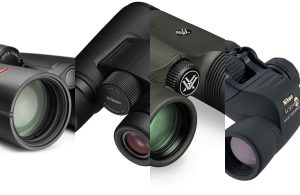
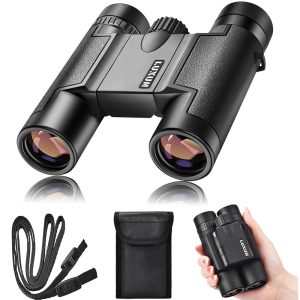
Finding the best binoculars requires knowing their key features. Magnification is how close you see objects. Objective lens size helps in low light. Field of view lets you see a wide area. Eye relief is important if you wear glasses. Look for durability; they should handle falls. Weight is crucial for carrying them all day. Waterproof ones are great for rainy adventures.
Image stabilization keeps images steady. Shaky hands can make viewing hard. Technology helps by reducing shakes. This means clearer views. Bird watching becomes easier. Sports fans can follow fast actions. Travelers enjoy steady landscapes. Astronomers see stars better. It’s helpful for everyone. Enjoy clear and stable sights.

Credit: www.amazon.ca
Locating Zoom Controls
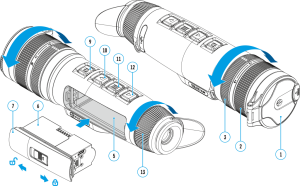
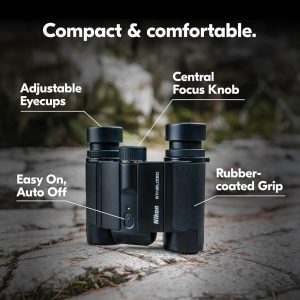
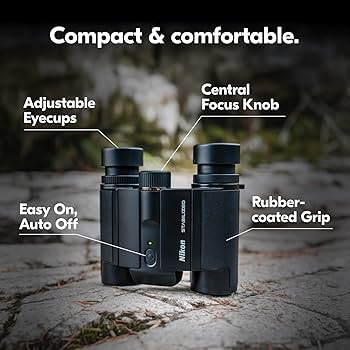
Most image stabilized binoculars have a zoom controlnear the eyepieces or on the side. This control changes the magnification level smoothly. You can feel a small dial or lever. It lets you adjust zoom speed by how fast or slow you turn it. Some models use a twist ring, while others have a slider or button.
Common zoom mechanisms include:
- Twist ringsthat you rotate gently for slow zooming.
- Slidersfor quick zoom adjustments.
- Buttonsto increase or decrease zoom speed step-by-step.
Zoom speed settings are often found inside the binoculars’ menu or as a small switch. Sometimes, pressing and holding a button changes the speed. Learning your model’s zoom controls helps adjust speed easily and keeps images clear and stable.
Adjusting Zoom Speed
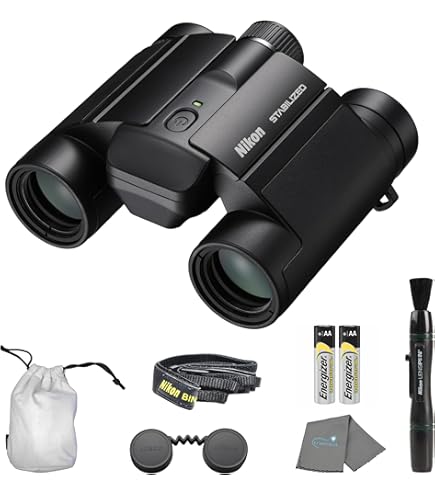
Locate the zoom control ring on the binoculars. Gently turn it to adjust the zoom speed. Turn slowly to avoid sudden jumps in view. Test the zoom speed by moving the ring smoothly. If the zoom is too fast, adjust it to a slower setting. If too slow, increase the speed carefully. Keep hands steady during adjustment for better control.
Practice zooming on a fixed object to get used to the speed. Small, slow movements help prevent shaking. Hold the binoculars firmly to reduce blur. Avoid quick twists, which can make the image unstable. Clean the lenses for clear vision. Store the binoculars safely when not in use to protect the zoom mechanism.
- Use a light touch on the zoom ring.
- Keep binoculars steady with both hands.
- Focus on one object while adjusting.
- Adjust zoom speed in small steps.
- Check zoom smoothness regularly.
Credit: www.amazon.com
Testing Zoom Performance
Testing zoom speed helps ensure smooth viewingand clear images. Check if zoom moves evenlywithout jerks. Watch the image closely to see if it stays stableduring zooming. A steady image means the stabilizer works well.
Speed should be adjustable. Try slow and fast zoom speeds. Notice if the image blurs or shakes. Good binoculars keep the image steady at all speeds.
Common issues include:
- Image shaking or jittering during zoom
- Zoom speed feels too fast or too slow
- Focus loss when zooming
- Battery problems causing instability
Fix problems by checking battery levels and cleaning lenses. Tighten any loose parts. Reset binoculars if needed. Proper care keeps zoom smooth and stable.
Maintenance For Optimal Zoom
Keep the lenses clean using a soft cloth. Dirt and dust can affect the zoom speed and image clarity. Use a lens brush or air blower to remove loose particles gently. Avoid touching the lenses with fingers to prevent smudges. Store binoculars in a dry place to stop moisture build-up that can harm internal parts.
Check the battery regularly for power levels. Low battery can slow down the image stabilization and zoom functions. Replace batteries with the recommended type only. Remove batteries if you won’t use the binoculars for a long time to avoid leaks and damage.
Frequently Asked Questions
How Do I Change Zoom Speed On Image Stabilized Binoculars?
To change zoom speed, locate the zoom adjustment ring or lever. Turn it slowly to adjust speed. Some models have electronic controls for precise speed settings.
Why Adjust Zoom Speed On Image Stabilized Binoculars?
Adjusting zoom speed helps focus smoothly and reduces image shake. It improves viewing comfort, especially during fast movements or tracking objects.
Can Zoom Speed Affect Image Stabilization Performance?
Yes, faster zoom changes can challenge stabilization. Slower, steady zooming maintains clear, stable images and enhances binocular effectiveness.
Are Zoom Speed Settings Customizable On All Binoculars?
Not all models offer zoom speed customization. Check your binocular’s manual to see if speed adjustments are available and how to set them.
Conclusion
Adjusting the zoom speed on image stabilized binoculars makes viewing easier and more enjoyable. Start slow and find the speed that feels right for you. Practice often to improve your control and comfort. Remember, steady hands help make the image clearer.
Take time to explore all the settings your binoculars offer. This way, you get the best experience outdoors or during events. Keep experimenting until zooming feels natural and smooth. Your eyes will thank you for the clearer, stable view.