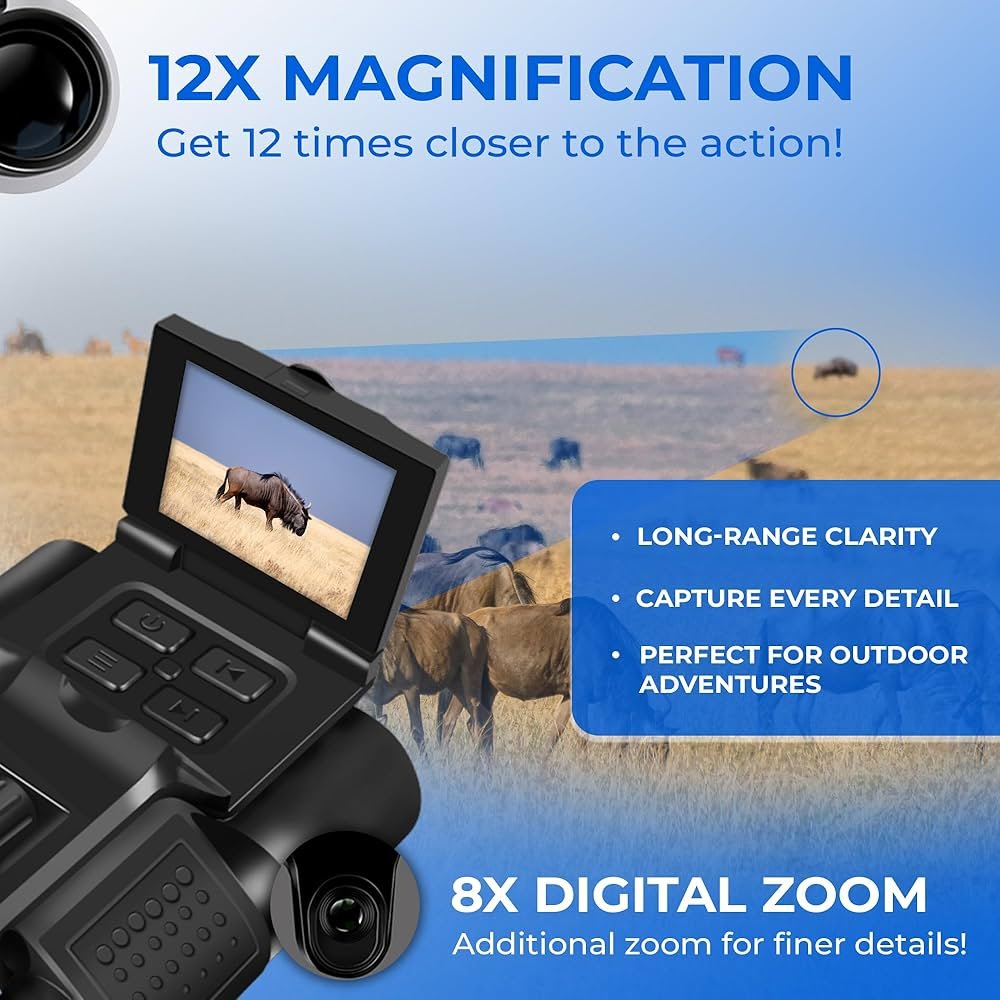
Have you ever wished your digital zoom binoculars could capture the stunning views you see through them? Using camera adapters can make that possible, turning your binoculars into a powerful tool for photography and video.
But if you’re unsure how to connect these devices or get the best results, you’re not alone. This guide will walk you through simple steps to use camera adapters with your digital zoom binoculars, so you can easily snap clear, zoomed-in shots every time.
Ready to unlock new ways to enjoy your binoculars? Let’s dive in and make your next outdoor adventure even more memorable.
Credit: www.ebuy7.com
Choosing The Right Camera Adapter
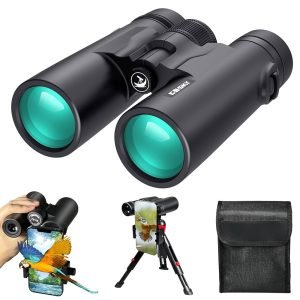
Camera adapters help connect your binoculars to a camera or smartphone. They come in different types, such as universal adapters, model-specific adapters, and smartphone mounts. Each type fits different devices and needs.
Compatibility is key. Some adapters fit only certain binocular models. Check if the adapter matches your binocular’s size and lens shape. This ensures a secure fit and clear images.
Material and build quality matter for durability and ease of use. Look for adapters made from metal or strong plastic. Good build quality prevents wobbling and helps keep your camera steady.
| Adapter Type | Fits | Material | Use |
|---|---|---|---|
| Universal | Most binoculars | Plastic/Metal | General use |
| Model-Specific | Specific brands/models | Metal | Exact fit |
| Smartphone Mount | Smartphones + binoculars | Plastic/Metal | Mobile photography |
Preparing Your Binoculars And Camera
Keep your binoculars and camera clean for clear images. Use a soft cloth to wipe lenses gently. Avoid harsh chemicals that can damage surfaces. Check for dust or smudges before attaching the adapter.
Align the camera lens with the binocular eyepiece carefully. Make sure both are centered to avoid dark edges. Tighten the adapter securely to prevent movement during use.
Adjust the digital zoom feature on your camera for the best view. Start with a low zoom and increase slowly to maintain focus. Use the camera’s screen to preview the image before capturing.
Attaching The Adapter
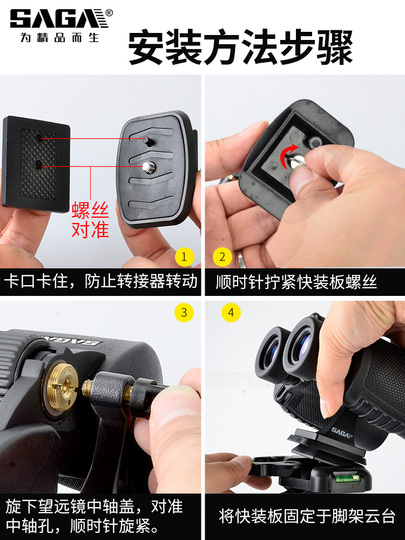
Start by aligning the adapterwith the binocular’s lens. Make sure it fits snugly without forcing it. Attach it gently and check for any gaps.
Secure the adapter using the locking ringor screw mechanism. Tighten it enough to keep the adapter stable but avoid over-tightening. This keeps the setup steady during use.
- Ensure the adapter is clean before attaching to avoid scratches.
- Do not force the adapter if it feels stuck.
- Double-check the adapter’s fit after securing to prevent movement.
- Use a tripod for extra stability if needed.

Credit: www.amazon.com
Optimizing Image Quality
Adjusting focus and zoom helps get a clearer image. Start by setting the binoculars’ focus. Then, use the adapter’s zoom to match the camera lens. Small moves give better control than big jumps. This keeps pictures sharp and detailed.
Manual settings let you control focus and zoom precisely. Auto settings are quick but may miss the right focus. Use manual mode in tricky light or when zooming a lot. Auto mode works well for simple shots and bright light.
Glare and reflections reduce image quality. Use a lens hood or shade the lens with your hand. Avoid bright light hitting the lens directly. Cleaning the lenses also helps reduce reflections and keeps images clear.
Troubleshooting Common Problems
Image bluroften happens due to shaky hands or poor focus. Use a tripod or steady surface to hold the binoculars. Adjust the focus ring slowly until the image is sharp. Clean the lenses gently with a soft cloth to remove dust or smudges. Avoid touching the glass directly as oils can cause blur.
Adapter fitment challengesarise when the adapter does not align correctly with the binoculars or camera. Check that the adapter size matches both devices. Make sure the adapter screws or clips securely without forcing it. Sometimes, small adjustments or using rubber rings can help achieve a snug fit.
Connectivity and compatibility issuesmay block camera functions. Verify the adapter supports your camera model. Update the camera’s firmware if needed. Use cables or connectors recommended by the manufacturer. Keep the adapter clean and free from dirt to maintain good contact.
Maintenance And Care For Adapters
Keep camera adapters clean by using a soft, dry cloth. Avoid harsh chemicals that can damage lenses or surfaces. For stubborn dirt, use a small amount of lens cleaner on the cloth, never directly on the adapter.
Store adapters in a cool, dry place. Use a protective case to avoid dust and scratches. Avoid leaving adapters in direct sunlight or damp areas to prevent damage and mold.
- Check adapters regularly for cracks or loose parts.
- Make sure all screws and connections are tight.
- Test the adapter with binoculars before each use to ensure proper fit.
- Replace damaged parts promptly to avoid further issues.
Enhancing Your Experience
Using camera adapterswith digital zoom binoculars can enhance your viewing experience. These adapters help connect your binoculars to cameras or smartphones, allowing you to capture distant objects clearly.
Additional accessories like tripods, lens covers, and cleaning kitscan improve stability and image quality. Tripods reduce shaking, making photos sharper. Lens covers protect the glass from dust and scratches. Cleaning kits keep lenses clear for better visibility.
- Choose sturdy tripods for outdoor use.
- Keep extra batteries handy for longer use.
- Store adapters safely to avoid damage.
- Adjust focus gently to prevent wear.
For night and low light conditions, use adapters that support wide apertures. This lets in more light and improves brightness. Use a tripod to keep the binoculars steady. Avoid quick movements to reduce blurring in photos or videos.

Credit: www.amazon.com
Frequently Asked Questions
What Is A Camera Adapter For Digital Zoom Binoculars?
A camera adapter connects your digital zoom binoculars to a camera or smartphone. It enables capturing photos or videos through the binoculars, enhancing your viewing and recording experience.
How Do I Attach A Camera Adapter To Binoculars?
First, align the adapter with the binocular eyepiece. Secure it firmly using adjustable clamps or screws. Ensure no light leaks for clear images.
Can Camera Adapters Improve Digital Zoom Quality?
Yes, adapters can stabilize your device and reduce shaking. This results in sharper images and better zoom performance through the binoculars.
Are Camera Adapters Compatible With All Binocular Models?
Not all adapters fit every binocular. Check the adapter’s specifications and your binocular’s eyepiece size before purchasing to ensure compatibility.
Conclusion
Camera adapters enhance digital zoom binoculars effectively. They offer detailed views. Consider lens compatibility for best results. Make sure the adapter fits securely. Proper use ensures clear images. Experiment with different settings. Practice often to improve skills. Enjoy capturing distant scenes.
Share your experiences with friends. Explore nature or sports events easily. Camera adapters are practical tools. They enhance your viewing experience. Feel free to try various models. Each has unique features. Find the one that suits your needs. Enjoy the world through your binoculars.
Happy viewing!