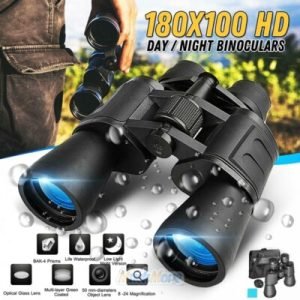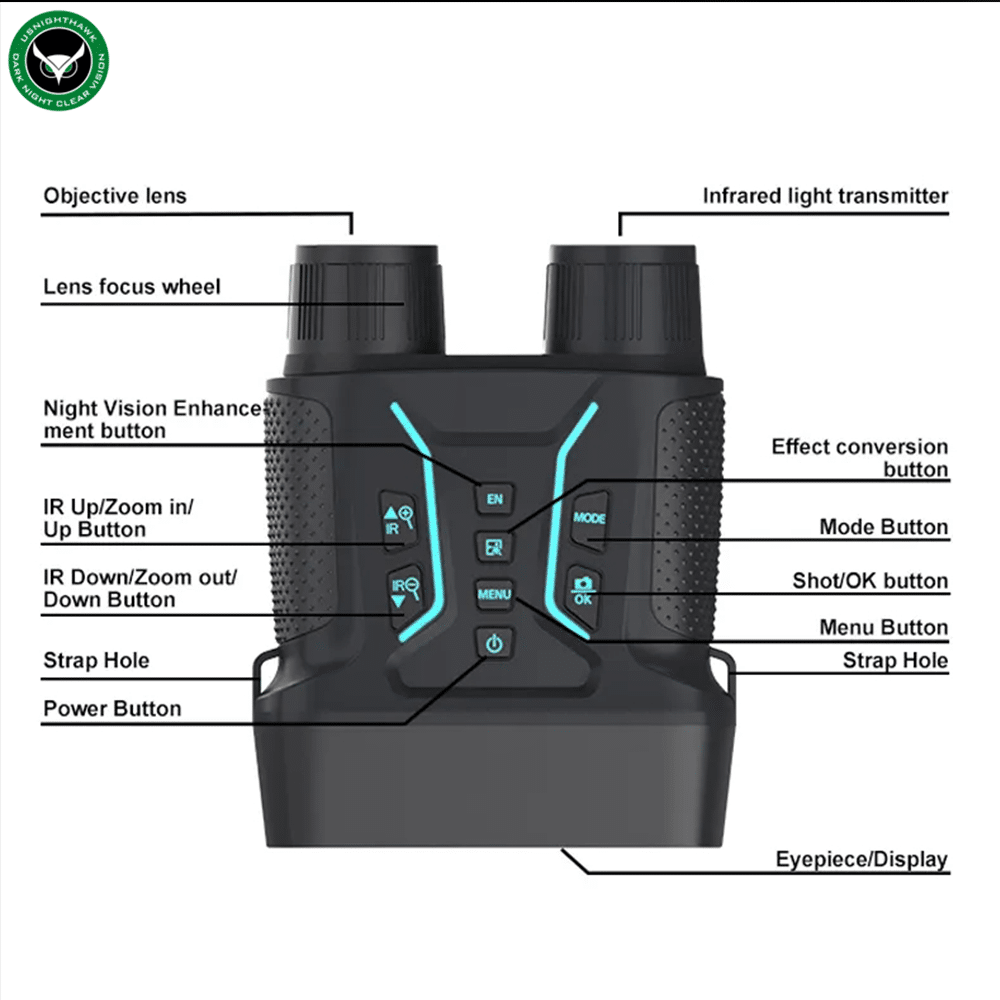
When you’re using thermal binoculars, getting a clear and sharp image is everything. But if your zoom and focus aren’t set right, you could miss out on crucial details.
Imagine spotting a distant animal or an important target, only to see a blurry shape. Frustrating, right? In this guide, you’ll learn simple, step-by-step tips to adjust your thermal binoculars’ zoom and focus with ease. By the end, you’ll be confident in your ability to see every detail clearly, no matter the distance or lighting.
Keep reading to unlock the full potential of your thermal binoculars!
Understanding Thermal Binoculars
Thermal binocularsdetect heat instead of light. They create images based on temperature differences. This helps you see in total darkness, fog, or smoke. The lens captures heat and sends it to a sensor. The sensor makes a thermal picture you can see on the screen.
Some key featuresinclude:
- Heat detection for clear vision in dark or obscured areas
- Adjustable zoom to see far or near objects
- Focus control for sharp images
- Durable design for outdoor use
- Battery-powered for portability

Credit: www.thermeyetec.com
Importance Of Proper Zoom And Focus
Proper zoom and focuson thermal binoculars greatly affect image clarity. Clear images help users see details in dark or foggy conditions. Blurry images can hide important objects or animals. Adjusting zoom changes how close or far things look. Focus tuning sharpens the image to reduce fuzziness.
Good image clarity boosts detection abilities. Users can spot small heat sources faster. This is important for safety, hunting, and wildlife watching. Proper focus also reduces eye strain during long use. Adjusting settings carefully ensures the best view in any environment.
- Zoom adjusts the view size.
- Focus sharpens the image.
- Clear images help detect heat sources.
- Better clarity reduces eye fatigue.
- Helps in low light and bad weather.
Zoom Adjustment Techniques
Optical zoomuses lenses to magnify the image. It keeps the image clear and sharp. Digital zoomcrops and enlarges the image on the screen. It can make the image look blurry or pixelated.
Optical zoom is better for detailed viewing. Digital zoom is useful for quick zooming or when optical zoom is limited.
| Zoom Type | How It Works | Image Quality |
|---|---|---|
| Optical Zoom | Magnifies using lenses | Clear and sharp |
| Digital Zoom | Crops and enlarges image | May be blurry or pixelated |
- Turn on your thermal binoculars.
- Locate the zoom control button or ring.
- Adjust zoom slowly to your desired view.
- Use optical zoom for clear details when possible.
- Use digital zoom only if optical zoom is not enough.
- Check the image and refocus if needed.
Focus Adjustment Methods
Adjust zoom by turning the zoom ring until the image size fits your view. Focus by rotating the focus ring until the image appears sharp and clear. Fine-tune both controls slowly for the best thermal image quality.
Manual Focus Adjustment
Adjust the focus ring gently on the binoculars. Turn it slowly until the image looks clear. This method gives you control over sharpness. It works well for different distances.
Manual focus is useful in dark or foggy places. It helps you see details better than automatic settings sometimes. Always adjust focus after changing the distance to the target.
Using Autofocus Features
Autofocus lets the binoculars focus by themselves. Just point the device at what you want to see. The lens will adjust to make the image clear.
Autofocus is fast and easy to use. It is great for moving objects or quick viewing. But it may struggle in low light or very close distances.
Troubleshooting Zoom And Focus Issues
Blurred imagesoften result from improper focus settings. Adjust the focus ring slowly until the picture sharpens. Zoomed imagesmay become unclear if the zoom is set too high. Lower the zoom level slightly for better clarity.
Sometimes, a foggy lenscauses poor visibility. Wipe the lens gently with a soft cloth. Check for any dirt or smudges that block the view.
- Keep the binoculars steady to avoid shaking images.
- Use both hands for better control.
- Adjust zoom before focusing to get a rough image.
- Focus carefully on the object after zooming.
- Store binoculars in a dry place to avoid moisture damage.
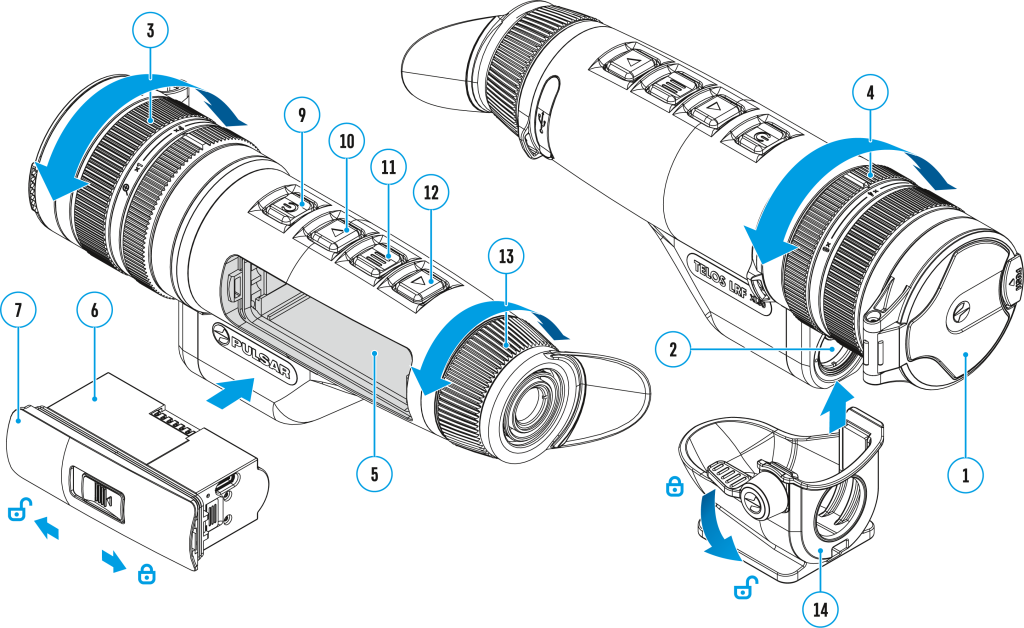
Credit: pulsarvision.com
Maintaining Your Thermal Binoculars
Regular cleaningkeeps your thermal binoculars working well. Use a soft cloth to wipe lenses gently. Avoid using harsh chemicals that can damage the lens coating. Store the binoculars in a dry, cool place to prevent moisture buildup. Check for dust and dirt after every use. Protect the device with a case to avoid scratches. Clean the eyepieces and lens covers often to maintain clear images.
Software and firmware updatesimprove performance and fix bugs. Connect your binoculars to a computer or use a mobile app if available. Follow the manufacturer’s instructions carefully to install updates. Keep the device charged during updates to avoid failures. Regular updates can add new features and improve image quality. Check for updates every few months to stay current.

Credit: www.instagram.com
Frequently Asked Questions
How Do I Adjust Zoom On Thermal Binoculars?
To adjust zoom, locate the zoom control ring or button on your binoculars. Turn or press it slowly to increase or decrease magnification. Adjusting zoom helps you get a clearer and closer view of distant objects with thermal imaging.
How Can I Focus Thermal Binoculars Precisely?
Focus by rotating the focus wheel or ring until the image appears sharp. Look through the eyepiece while adjusting for clarity. Proper focus ensures thermal details are clear and enhances your viewing experience.
Why Is Focusing Important On Thermal Binoculars?
Focusing sharpens the thermal image, revealing more detail and contrast. Without proper focus, the image appears blurry, reducing the effectiveness of the binoculars. Accurate focus improves target identification and viewing comfort.
Can I Adjust Zoom And Focus Simultaneously?
Yes, you can adjust both, but focus first for clarity. Then change zoom to get the desired magnification. Finally, fine-tune focus again if needed for the best image quality.
Conclusion
Adjusting zoom and focus on thermal binoculars improves your viewing experience. Start with a clear image by setting the focus carefully. Use zoom to see distant objects better. Small changes make a big difference. Practice often to get comfortable with the controls.
This skill helps you spot details clearly in any light. Keep your binoculars steady for the best results. Enjoy clearer, sharper views every time you use your thermal binoculars. Simple steps lead to better observation and more fun outdoors.