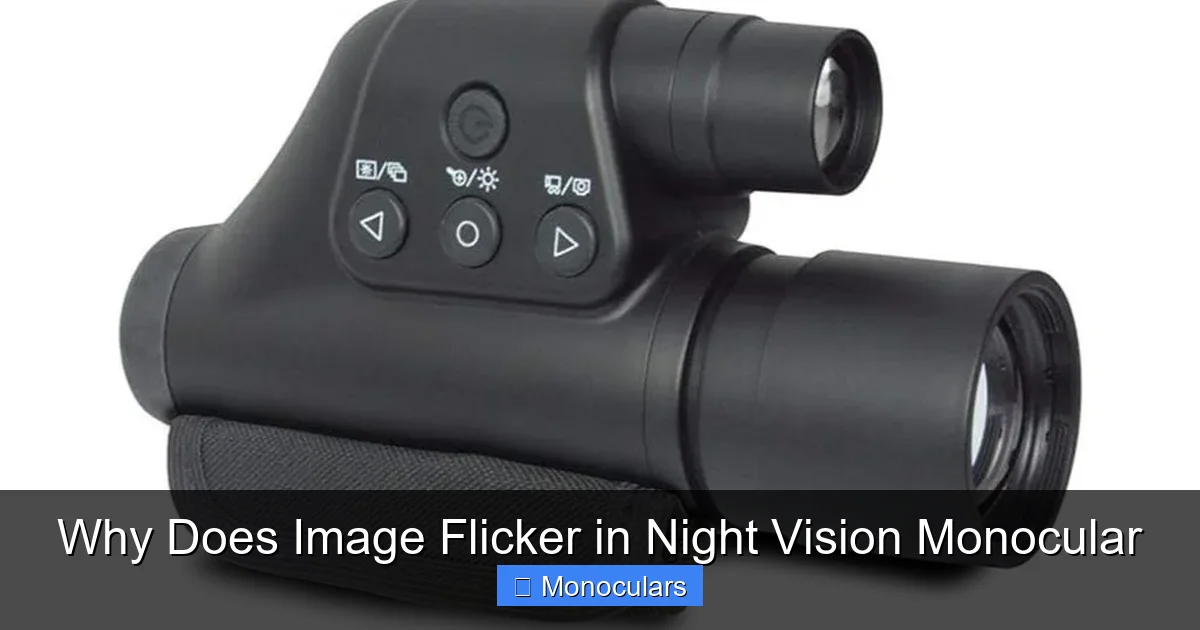
Image flicker in night vision monoculars is a common issue caused by power fluctuations, sensor sensitivity, or environmental factors. Understanding the root causes—like low battery voltage, IR interference, or temperature changes—can help you minimize or eliminate the problem for a smoother viewing experience.
Have you ever been out on a nighttime hike, trying to spot wildlife or navigate a dark trail, only to be distracted by a flickering image in your night vision monocular? It’s frustrating—like watching a glitchy old TV show when all you want is a clear, steady view of the world after dark. You’re not alone. Many users of night vision monoculars report this exact issue, and while it might seem like a defect, image flicker is often a symptom of underlying technical or environmental factors.
Night vision monoculars are incredible tools that amplify available light—like moonlight, starlight, or infrared illumination—to create a visible image in near-total darkness. But like any electronic device, they’re sensitive to their surroundings and internal conditions. The flicker you see isn’t always a sign of a broken unit; sometimes, it’s just the device reacting to real-world variables. Whether you’re using your monocular for hunting, security, stargazing, or nighttime photography, understanding why flicker happens is the first step toward solving it.
In this guide, we’ll break down the most common reasons behind image flicker in night vision monoculars. We’ll explore everything from power supply issues to environmental interference, and offer practical tips to help you get the clearest, most stable image possible. By the end, you’ll know how to troubleshoot flicker like a pro and enjoy smoother, more reliable night vision performance.
Key Takeaways
- Low battery power: Weak or dying batteries can cause inconsistent power delivery, leading to image flicker in night vision monoculars.
- Infrared (IR) interference: Conflicting IR sources, such as other devices or overlapping beams, may disrupt the monocular’s image stability.
- Sensor and tube sensitivity: High-gain sensors or image intensifier tubes can amplify minor light variations, resulting in visible flicker.
- Temperature fluctuations: Rapid changes in ambient temperature can affect electronic components and cause temporary flickering.
- Poor-quality or aging components: Worn-out image intensifier tubes or faulty circuitry may degrade performance and introduce flicker.
- Environmental lighting conditions: Flickering ambient lights (like streetlights or car headlights) can be misinterpreted by the monocular as signal noise.
- Firmware or software glitches: Outdated or buggy firmware in digital night vision models may contribute to unstable image output.
📑 Table of Contents
Understanding How Night Vision Monoculars Work
Before diving into the causes of flicker, it helps to understand how these devices function. Most night vision monoculars fall into two main categories: image intensifier tube (IIT) models and digital night vision units. Both rely on capturing and amplifying low levels of light, but they do so in different ways.
Image Intensifier Tube (IIT) Technology
Traditional night vision monoculars use an image intensifier tube—a vacuum-sealed component that converts photons (light particles) into electrons, amplifies them, and then converts them back into visible light. This process creates the classic green-hued image associated with night vision. The quality of the tube—often rated as Gen 1, Gen 2, Gen 3, or Gen 4—plays a major role in image clarity and stability. Higher-generation tubes are more sensitive and efficient, but they can also be more prone to flicker if not properly powered or maintained.
Digital Night Vision Systems
Digital monoculars, on the other hand, use a CMOS or CCD sensor (similar to those in digital cameras) to capture light. The image is then processed and displayed on an internal screen. These models often include features like video recording, zoom, and Wi-Fi connectivity. While they don’t rely on fragile vacuum tubes, they’re still susceptible to electronic noise and power inconsistencies that can cause flicker.
Understanding your monocular’s technology helps you pinpoint potential flicker sources. For example, a Gen 3 tube might flicker due to microchannel plate irregularities, while a digital model might flicker because of a glitchy image processor.
Common Causes of Image Flicker in Night Vision Monoculars
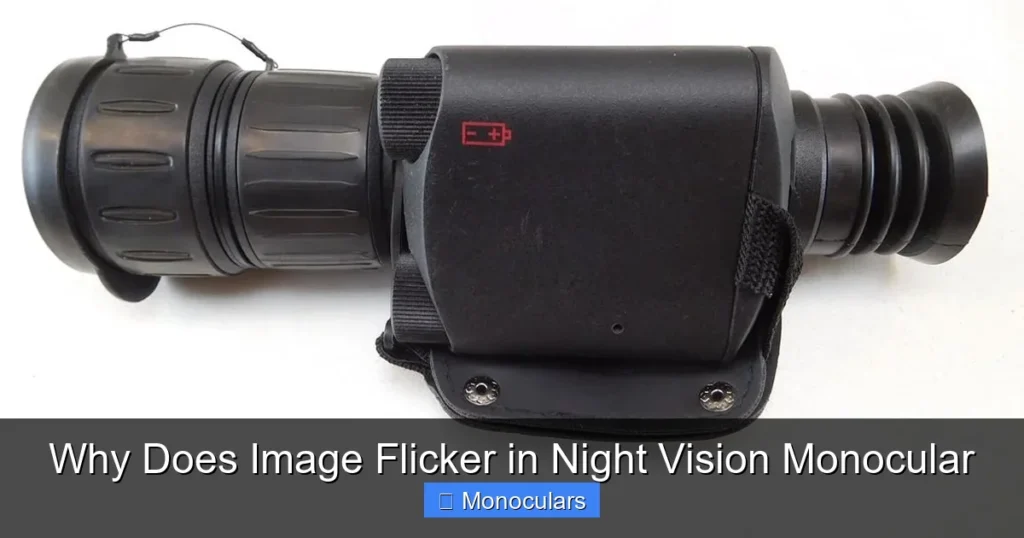
Visual guide about Why Does Image Flicker in Night Vision Monocular
Image source: camoguys.com
Now that we’ve covered the basics, let’s explore the most frequent culprits behind flickering images. Many of these issues are interrelated, and addressing one may resolve others.
Low or Unstable Power Supply
One of the most common reasons for flicker is insufficient or inconsistent power. Night vision monoculars, especially high-performance models, demand a stable voltage to operate smoothly. If your batteries are low, old, or of poor quality, the device may not receive the consistent power it needs. This can cause the image to dim, brighten, or flicker intermittently.
For example, if you’re using alkaline batteries that are nearing the end of their life, the voltage may drop under load—especially when the IR illuminator is active. This creates a pulsing effect in the image. Switching to high-quality lithium batteries or rechargeable NiMH cells with consistent output can often eliminate this type of flicker.
Infrared (IR) Interference and Overlap
Many night vision monoculars come with built-in IR illuminators to boost visibility in total darkness. However, if multiple IR sources are active in the same area—such as another person’s monocular, a security camera, or even a smartphone with night mode—the overlapping beams can interfere with each other. This interference can cause the image to flicker or show uneven brightness.
Imagine two hunters using monoculars with IR illuminators pointed in the same direction. The conflicting IR signals can confuse the sensors, leading to a strobing or flickering effect. To avoid this, try adjusting the angle of your IR beam or turning off unnecessary IR sources when possible.
Sensor and Tube Sensitivity
High-sensitivity sensors and image intensifier tubes are designed to detect even the tiniest amounts of light. While this is great for visibility, it also means they can pick up minor fluctuations in ambient light or electronic noise. For instance, a passing cloud that briefly blocks the moon might cause a flicker if the sensor overreacts to the sudden change in light levels.
Similarly, some tubes have a phenomenon called “shutter effect” or “scintillation,” where electrons moving through the microchannel plate create tiny bursts of light that appear as flicker. This is more common in older or lower-quality tubes and can worsen over time.
Temperature and Environmental Factors
Night vision devices are sensitive to temperature changes. Rapid shifts—like moving from a warm car into cold outdoor air—can cause internal components to expand or contract, leading to temporary electrical instability. This is especially true for digital monoculars with delicate circuit boards.
Additionally, high humidity or condensation inside the device can interfere with electrical connections and cause flickering. Always store your monocular in a dry, temperature-stable environment and allow it to acclimate before use in extreme conditions.
Environmental Lighting and External Interference
The world around you plays a big role in how your monocular performs. Even in what seems like total darkness, there are often subtle light sources that can affect image stability.
Flickering Ambient Lights
Streetlights, car headlights, or even distant flashes from cameras or phones can emit light at frequencies that the monocular’s sensor picks up as flicker. LED lights, in particular, often flicker at high speeds invisible to the human eye—but night vision sensors can detect this pulsing and reproduce it in the image.
For example, if you’re scanning a road at night and a car with LED headlights passes by, you might see a strobing effect in your monocular. This isn’t a defect—it’s the sensor reacting to rapid light changes. Using a monocular with adjustable gain or a filter can help reduce this effect.
Electromagnetic Interference (EMI)
Electronic devices like radios, GPS units, or even power lines can emit electromagnetic fields that interfere with your monocular’s circuitry. This is more common with digital models, which rely on microprocessors and wireless signals. If you notice flicker only when near certain devices, EMI could be the cause.
To minimize interference, keep other electronics at a distance and avoid using your monocular near strong sources of EM radiation, such as radar towers or industrial equipment.
Device Age, Quality, and Maintenance
Not all night vision monoculars are created equal. The build quality, age, and maintenance of your device can significantly impact its performance—including whether it flickers.
Worn-Out Image Intensifier Tubes
Over time, image intensifier tubes degrade. The photocathode material loses sensitivity, and the microchannel plate may develop irregularities. This degradation can manifest as image noise, reduced brightness, or flicker. If your monocular is several years old and has seen heavy use, tube wear could be the culprit.
Unfortunately, replacing a tube is often costly—sometimes more than the value of the monocular itself. In such cases, upgrading to a newer model may be the best long-term solution.
Poor-Quality or Counterfeit Units
The market is flooded with low-cost night vision devices, some of which are poorly made or even counterfeit. These units may use substandard sensors, weak power systems, or inadequate shielding, all of which can lead to flicker. Always buy from reputable brands and retailers, and check for certifications or warranties.
Lack of Regular Maintenance
Dust, moisture, and debris can accumulate on lenses or inside the housing, affecting image quality. While this usually causes blurriness or dark spots, severe contamination can scatter light in ways that trigger flicker. Clean your monocular regularly with a microfiber cloth and lens cleaner, and store it in a protective case.
How to Fix and Prevent Image Flicker
The good news? Many flicker issues are fixable—or at least manageable—with the right approach.
Use High-Quality Batteries
Switch to premium lithium or rechargeable NiMH batteries with stable voltage output. Avoid cheap alkalines, especially in cold weather. Keep spare batteries handy and replace them before they’re completely drained.
Adjust IR Illuminator Settings
If your monocular has an adjustable IR illuminator, try reducing the power or narrowing the beam. This minimizes interference and reduces the chance of overloading the sensor.
Update Firmware (Digital Models)
Check the manufacturer’s website for firmware updates. These can fix bugs, improve image processing, and reduce flicker caused by software glitches.
Control Environmental Exposure
Avoid using your monocular near flickering lights or strong EM sources. Allow the device to adjust to temperature changes gradually, and keep it dry.
Invest in a Quality Monocular
If flicker persists despite troubleshooting, it may be time to upgrade. Look for models with good reviews, solid construction, and reliable power systems. Brands like Pulsar, ATN, and Sightmark are known for consistent performance.
Conclusion
Image flicker in night vision monoculars can be annoying, but it’s rarely a dead end. More often than not, it’s a signal that something in the environment, power supply, or device itself needs attention. By understanding the technology behind your monocular and recognizing the common causes of flicker—from low batteries to IR interference—you can take proactive steps to enjoy clearer, more stable night vision.
Whether you’re a hunter, security professional, or nighttime adventurer, a flicker-free experience means better visibility, improved safety, and greater confidence in the dark. With the right knowledge and a few simple adjustments, you can turn that distracting flicker into a thing of the past.
Frequently Asked Questions
Why does my night vision monocular flicker only when the IR illuminator is on?
This is often due to power drain or IR interference. The IR illuminator uses extra power, which can cause voltage drops in weak batteries. It may also overlap with other IR sources, creating signal noise. Try using fresh batteries or adjusting the IR beam angle.
Can weather conditions cause image flicker?
Yes. Rapid temperature changes, high humidity, or condensation can affect electronic components and cause temporary flicker. Allow your monocular to acclimate to outdoor temperatures and keep it dry to minimize issues.
Is flicker a sign that my night vision monocular is broken?
Not necessarily. Flicker is often caused by external factors like low batteries or environmental interference. However, if it persists after troubleshooting, it could indicate a failing tube or internal fault.
Do all night vision monoculars flicker?
Most high-quality models are designed to minimize flicker, but no device is completely immune. Minor flicker can occur under extreme conditions, but frequent or severe flickering usually points to an underlying issue.
Can I fix flicker by cleaning the lens?
Cleaning the lens improves clarity but won’t fix electronic flicker. However, dirt or moisture inside the housing could contribute to the problem, so regular maintenance is still important.
Are digital night vision monoculars less prone to flicker?
Digital models can be more stable in some conditions but are still susceptible to power issues, EMI, and software glitches. Their flicker patterns may differ from tube-based models, but the causes are often similar.