Have you ever wished you could capture the mysterious beauty of the night through your smartphone? Imagine turning your night vision binoculars into a powerful tool that connects directly to your phone, letting you see and record the dark like never before.
Using night vision binoculars with smartphone adapters is easier than you think, and it opens up a world of possibilities for night photography, wildlife watching, and even security. In this guide, you’ll discover simple steps to get started and tips to make the most of your setup.
Ready to unlock the secrets of the night with your smartphone? Keep reading to learn how.
Choosing Night Vision Binoculars
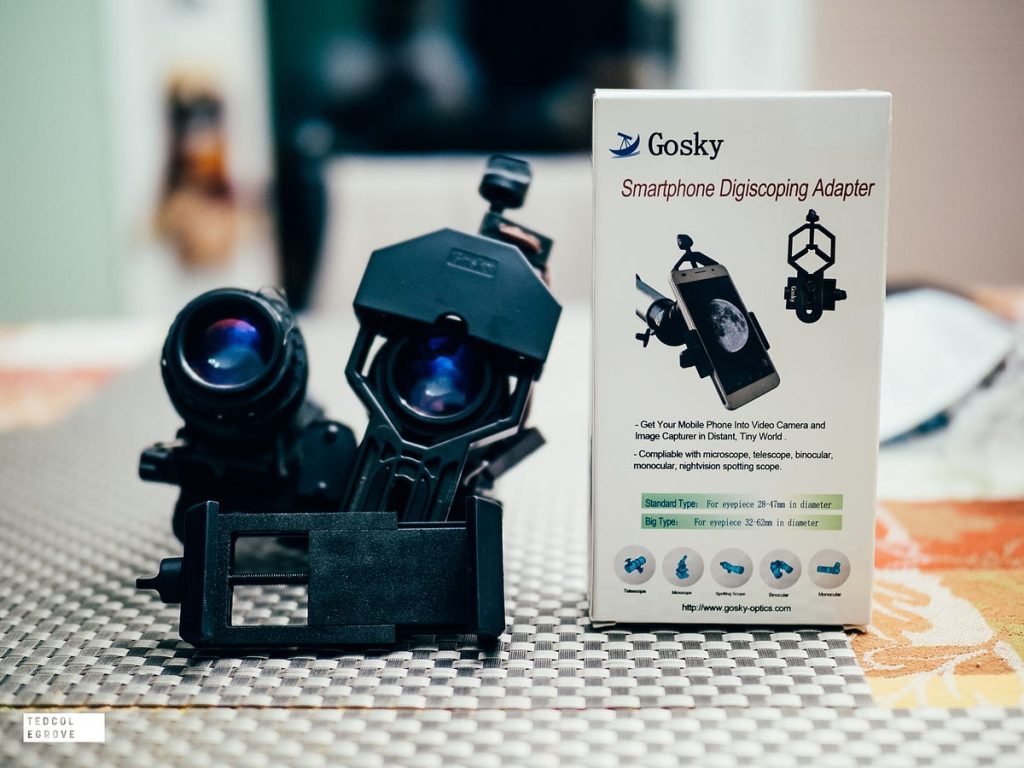
Attach the smartphone adapter securely to your night vision binoculars for steady viewing. Align the phone camera with the binocular lens to capture clear night images. Adjust focus on both devices to enhance image sharpness and enjoy hands-free night vision photography.
Types Of Night Vision Technology
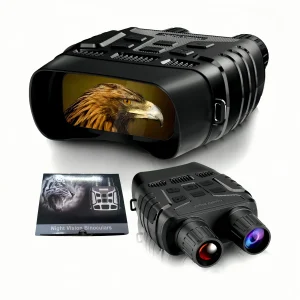
Night vision binoculars use different technologies. Infrared is popular and works well in the dark. Digital night vision is another option. It offers clear images and video recording. Thermal imaging sees heat from objects. It’s great for spotting animals at night.
Key Features To Consider
Look for lightweight binoculars. They are easy to carry. Magnification helps see far objects clearly. Durability is important for outdoor use. Battery life should be long-lasting for night adventures. Waterproof binoculars are useful in wet conditions.
Popular Brands And Models
- Bushnell is known for quality night vision gear.
- ATN offers advanced digital night vision options.
- Night Owl provides affordable and reliable models.
- Sightmark is favored by many outdoor enthusiasts.
Selecting The Right Smartphone Adapter
Compatibilitybetween your binoculars and smartphone is key. Some adapters fit only certain binocular models or phone sizes. Check the adapter’s specs to match your devices. Materials like aluminum offer durability, while plastic adapters are lighter but less strong. The design affects ease of use. Adjustable clamps fit various phone thicknesses. Some adapters have quick-release features for fast mounting.
Choosing between budget and quality depends on your needs. Cheaper adapters may not last or hold the phone firmly. Quality adapters provide stable images and better build. Consider how often you will use the adapter and in what conditions. Spending a bit more usually means better results and longer life.
| Feature | Budget Adapter | Quality Adapter |
|---|---|---|
| Material | Plastic | Aluminum or Metal |
| Fit | Limited phone sizes | Adjustable for many phones |
| Durability | Low | High |
| Stability | Loose hold | Firm hold |
| Price | Low | Moderate to High |
Setting Up Your Equipment
Attach the adapter firmly to the binoculars’ eyepiece. Check that it fits snugly without gaps. A loose adapter can cause shaky images. Use the adjustment knobs to tighten the grip securely.
Place your smartphone’s camera lens inside the adapter ring. Align it carefully so the camera views through the binocular lens. Small shifts improve focus and image clarity. Move the phone slowly to center the camera lens.
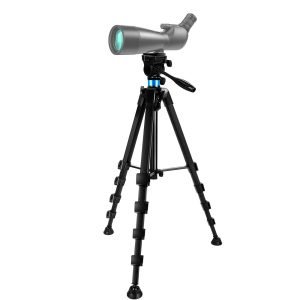
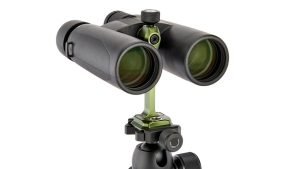
- Use a tripod or stable surface to hold the binoculars and phone.
- Secure all parts with clamps or straps to avoid movement.
- Test the setup by watching through the phone screen to check for wobbling.
- Adjust the position if the image is blurry or off-center.

Credit: gtguardhunt.com
Optimizing Night Vision Performance
Adjust the focuscarefully on both the binoculars and smartphone adapter. This ensures a clear imageon your phone screen. Use the zoom feature to get a closer view without losing sharpness. Small changes make a big difference in image quality.
Infrared (IR) illumination helps you see in total darkness. Turn on the IR light gently. Too much light can cause glare and reduce image clarity. Use IR only when needed to save battery.
Battery life is key for long sessions. Carry extra batteries for both binoculars and smartphone. Turn off devices when not in use. Lower brightness and IR settings to extend battery time.
Capturing Photos And Videos
Adjust the camera ISOto a higher value to capture more light. Lower the shutter speedfor longer exposure, but keep it steady to avoid blur. Use the manual focusoption for sharp images in the dark. Turn off the flash to prevent glare on the binocular lens.
Some third-party appsoffer better control over camera settings than the default app. Apps with night modeor long exposurehelp capture clearer photos. Try apps that allow ISO adjustmentand focus control. Always test the app before your night session.
- Keep your hands steady or use a tripod for sharp images.
- Clean the binocular and smartphone lenses before use.
- Avoid bright light sources near the binoculars.
- Use the zoom feature carefully to prevent pixelation.
- Take multiple shots to select the best one later.
Troubleshooting Common Issues
Image blurringoften happens because of poor focus. Adjust the focus wheel slowly until the image is clear. Check if the lens is clean; dirt can cause distortion. Using a tripod can help keep the binoculars steady for sharper images.
Connectivity problemsmay arise from loose connections or incompatible adapters. Ensure the adapter is firmly attached to both the binoculars and smartphone. Restart your phone to refresh the connection. Update your phone’s software and any related apps.
Adapter fitment challengesoccur if the adapter size does not match your phone or binocular eyepiece. Measure the eyepiece and phone lens carefully before buying. Use adjustable adapters for a better fit. Avoid forcing parts together to prevent damage.
Maintaining And Caring For Your Gear
Keep lenses and adapters clean for clear vision. Use a soft cloth or lens brush to remove dust and dirt. Avoid harsh chemicals that can damage coatings. Gently wipe in a circular motion to prevent scratches.
Store binoculars and adapters in a dry, cool place. Use a protective case to avoid damage. Keep them away from moisture and direct sunlight to prevent mold and fading.
- Check for loose screws or parts regularly.
- Test the focus and alignment before use.
- Replace worn-out batteries to ensure good performance.
- Inspect adapters for cracks or damage.
- Clean moving parts with a dry cloth to avoid rust.

Credit: www.amazon.com
Practical Uses And Safety Tips
Using night vision binoculars with smartphone adapters helps capture clear images in the dark. For night wildlife observation, it allows you to see animals without disturbing them. This method is great for watching owls, foxes, or deer quietly.
In security and surveillance, night vision binoculars help monitor dark areas safely. They can spot movements or persons in poorly lit places, improving safety for homes or businesses. Using a smartphone adapter records footage easily.
Responsible and legal usageis very important. Always check local laws before using night vision devices. Avoid shining bright lights or disturbing wildlife. Respect others’ privacy and never use these tools for spying or illegal activities.

Credit: www.amazon.ca
Frequently Asked Questions
What Are Night Vision Binoculars With Smartphone Adapters?
Night vision binoculars with smartphone adapters allow you to capture low-light images or videos. The adapter connects your phone to the binoculars. This setup enhances night vision capabilities through your smartphone’s camera. It’s perfect for wildlife observation, security, or outdoor adventures at night.
How Do I Attach A Smartphone Adapter To Night Vision Binoculars?
To attach, align the adapter with the binoculars’ eyepiece. Secure it tightly to avoid movement. Then, position your smartphone’s camera lens inside the adapter. Ensure the phone is stable for clear image capture. Adjust the focus on binoculars for sharp visuals.
Can I Record Videos Using Night Vision Binoculars And Smartphone?
Yes, you can record videos through your smartphone while using night vision binoculars. The adapter holds the phone steady for clear footage. Use your phone’s camera app to capture video. This method provides enhanced night visibility with easy sharing options.
Are Night Vision Binoculars With Adapters Compatible With All Smartphones?
Most adapters support popular smartphone models but check compatibility before buying. Some adapters are adjustable for different phone sizes. Confirm your phone’s camera position matches the adapter’s lens opening. Compatibility ensures optimal image quality and user experience.
Conclusion
Using night vision binoculars with smartphone adapters opens new possibilities. Capture clear images even in low light. The setup is simple and fits most smartphones. Practice aligning your phone to get the best view. Take your time to adjust focus and angles.
Share your night-time photos easily with friends. Enjoy exploring the dark world with your device. Keep your gear ready for nighttime adventures. This method makes night vision more fun and accessible. Try it out and see the night like never before.