Are you ready to explore the world of thermal binoculars but don’t know where to start? Setting up your thermal binoculars might seem tricky at first, but with the right steps, you can get them working perfectly in no time.
Imagine spotting wildlife in complete darkness or seeing details invisible to the naked eye. This guide will help you unlock that power quickly and easily. Keep reading, and you’ll learn exactly how to set up your thermal binoculars so you can enjoy clear, sharp images every time you look through them.
Choosing The Right Thermal Binoculars
Resolutionis key for clear thermal images. Higher resolution shows more detail. Choose binoculars with at least 320×240 pixelsfor good clarity. Lower resolution can make images blurry and less useful.
Check the range capabilitiesto know how far you can see. A longer range lets you spot objects from a distance. Typical ranges vary from 200 meters to over 1000 meters. Pick one that fits your needs.
Battery lifematters for long use. Look for models that offer 4 to 8 hoursof operation time. Rechargeable batteries save money and are eco-friendly. Carry extra batteries for extended trips.

Credit: www.youtube.com
Understanding Thermal Imaging
Thermal imaging detects heat patternsfrom objects and living things. It uses a special sensor called a thermal sensorto see heat even in darkness or fog. This sensor captures infrared radiation emitted by warm objects. The warmer the object, the brighter it appears on the screen.
This technology helps you see clearly in the dark. It does not need any light to work, unlike night vision. Thermal binoculars convert heat data into images that show temperature differences. This lets you spot animals, people, or objects hidden by darkness or smoke.
- See clearly in total darkness
- Spot warm objects easily
- Works through fog, smoke, and light brush
- Useful for hunting, security, and wildlife observation
- Helps detect hidden heat sources quickly
Preparing For Setup
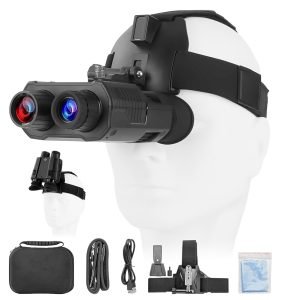
Gather all the necessary accessoriesbefore setting up the thermal binoculars. This usually includes:
- Batteries or charger
- Lens cleaning cloth
- Carrying case
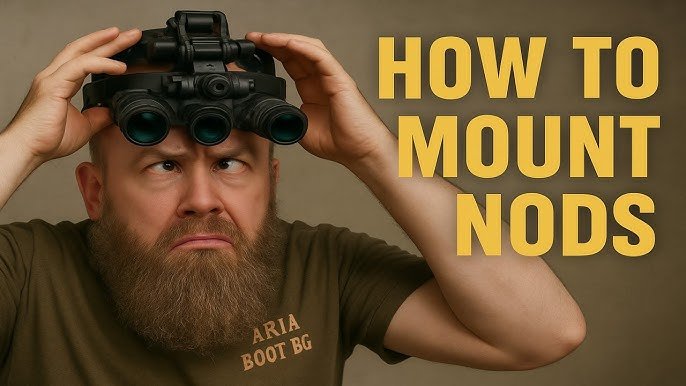
- Strap or mounting device
- User manual
Read the user manualcarefully. It explains how to use your binoculars properly. The manual also shows safety tips and how to care for the device.
Understanding the manual helps avoid mistakes and keeps the binoculars working well for a long time. Take your time with this step.
Initial Configuration
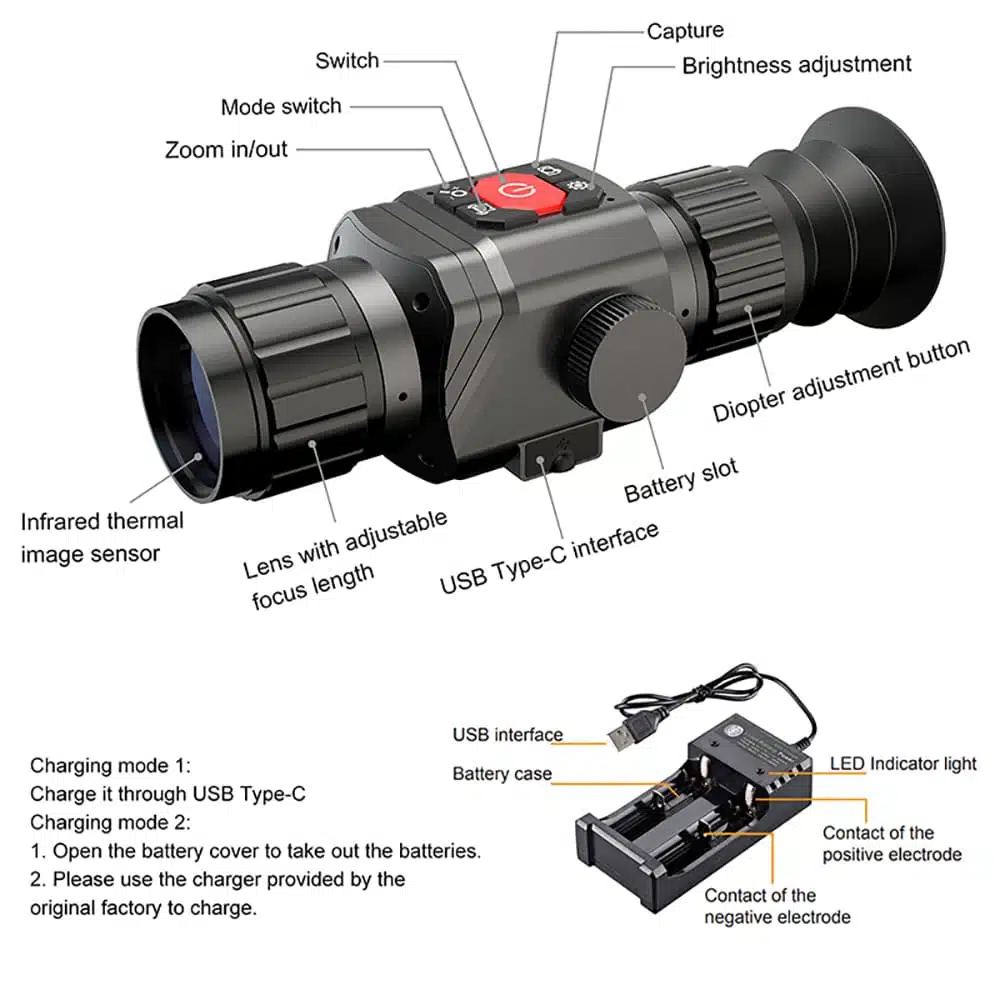
Turn on the thermal binoculars by pressing the power button. Hold it until the device lights up. Wait a few seconds for the system to start.
Adjust the settings to see clearly. Use the brightness and contrast controls to improve the image. Focus the lenses to make objects sharp.
- Set the temperature scale to Celsius or Fahrenheit.
- Choose the color palette that helps you see better.
- Adjust zoom to get closer views without losing quality.
Check the battery level to ensure enough power for use. Make small changes and test the view each time. A clear image helps find things easier in the dark.
Calibrating The Binoculars
Adjust the focus ringson each lens slowly. Turn them until the image looks sharp and clear. Use a steady object, like a tree or a building, to help focus better.
Hold the binoculars steady and take your time. Clear focus helps see details well at night or in fog.
After focusing, test the calibration by looking at different objects at various distances. Check if the image stays clear and sharp. If not, adjust the lenses again.
Repeat this process until the view is comfortable and crisp. Proper calibration makes the binoculars easier to use and more effective.
Using Thermal Binoculars
Practice helps you find targets faster with thermal binoculars. Hold the device steady and scan slowly. Focus on areas where animals or objects might appear. Adjust the settings to improve image clarity. Try spotting warm objects against cooler backgrounds.
Understanding temperature differences is key to using thermal binoculars well. Warmer objects show up as bright spots. Cooler areas appear darker. This contrast helps identify targets even in total darkness. Different materials and surfaces emit heat differently, so learning these patterns improves your success.
Maintaining Your Thermal Binoculars
Keep the lenses clean by wiping them gently with a soft cloth. Avoid using rough materials that can scratch the glass. Store your binoculars in a dry, cool place to prevent moisture damage. Use a protective case to shield them from dust and impact.
Remove batteries if you do not plan to use the binoculars for a long time. This prevents battery leakage and damage. Always carry extra batteries for longer use. Check battery levels before going out to avoid surprises.
Credit: www.usnighthawk.com
Troubleshooting Common Issues
Image clarity problemsoften happen due to dirty lenses or incorrect focus. Clean lenses gently with a soft cloth to remove dirt. Adjust the focus ring slowly until the image is sharp. Check if the lens cover is off and the lens is not damaged.
Sometimes, fog or condensation can blur the image. Let the binoculars warm up in the open air. Avoid touching the lens with fingers to keep it clean.
| Issue | Possible Cause | Fix |
|---|---|---|
| Blurry Image | Lenses dirty or out of focus | Clean lenses and adjust focus ring |
| Foggy View | Condensation inside or outside | Let binoculars warm up slowly |
Power and connectivity issuescan stop the binoculars from working. Check if the batteries are charged and inserted correctly. Use fresh batteries if the power is low. Clean battery contacts with a dry cloth to remove dirt.
Make sure all cables and connections are tight and not damaged. Restart the device if it freezes or does not respond. Sometimes, resetting to factory settings solves many problems.
Credit: pulsarvision.com
Frequently Asked Questions
What Is The First Step To Set Up Thermal Binoculars?
The first step is to charge or insert batteries fully. Then, power on the device and allow it to warm up. This ensures optimal sensor performance for clear thermal imaging.
How Do I Adjust The Focus On Thermal Binoculars?
Use the focus ring or knob near the eyepiece. Rotate slowly until the image appears sharp and clear. Proper focus enhances image details and improves viewing comfort.
What Is The Best Way To Calibrate Thermal Binoculars?
Most models auto-calibrate when turned on. Manual calibration can be done by covering the lens briefly. This process stabilizes the sensor and reduces image noise for better clarity.
How To Optimize Thermal Contrast Settings For Beginners?
Start with default contrast settings and adjust gradually. Increase contrast to highlight temperature differences clearly. Proper contrast improves target detection in various environments.
Conclusion
Setting up thermal binoculars does not need to be hard. Follow each step slowly and carefully. Adjust the focus and brightness to see clearly. Practice often to get used to the controls. Remember, patience helps you use your binoculars well.
With time, spotting animals or objects at night will feel natural. Enjoy your new view of the world around you. Keep exploring safely and confidently with your thermal binoculars.