Are you struggling with blurry images on your thermal binoculars? It’s frustrating when you can’t see clearly, especially when every detail matters.
You rely on your thermal binoculars to spot heat signatures and navigate the dark, but blurry vision can ruin the experience. The good news is, you don’t have to settle for unclear images. You’ll discover simple, effective ways to fix blurry images on your thermal binoculars so you can get back to seeing the world with sharp clarity.
Keep reading to learn how to sharpen your view and make the most out of your device.

Credit: www.reddit.com
Common Causes Of Blurry Thermal Images
Blurry thermal images often result from dirty lenses, poor focus, or low battery power. Environmental factors like fog or rain can also affect image clarity. Cleaning the lens and adjusting focus usually improves the picture sharply.
Lens Smudges And Dirt
Dust or fingerprints on the lens can make images unclear. Cleaning the lens often keeps it clear. Use a soft cloth to wipe away smudges.
Incorrect Focus Settings
Wrong focus can blur thermal images. Adjust the focus until the image is sharp. Use the focus ring for better results.
Environmental Factors
Fog or rain affects image quality. These elements can cause blurry images. Keep the device dry and clean for best views.
Device Calibration Issues
Calibration ensures clear images. Without it, the device might not work well. Regular calibration keeps the images sharp and clear.
Cleaning And Maintenance Tips
Use a soft, lint-free cloth to clean the lenses gently. Avoid paper towels or rough fabric.
Apply lens cleaning solution or a little water to the cloth, not directly on lenses. Wipe in a circular motion to remove smudges or dirt.
Check for dust or debris on the lenses before cleaning. Blowing air can help remove loose particles.
- Keep the device dry and avoid exposure to extreme temperatures.
- Check batteries regularly and replace them when low.
- Inspect the lenses for scratches or damage often.
- Store in a protective case when not in use.
Store thermal binoculars in a cool, dry place away from direct sunlight. Use a padded case for extra protection.
Keep the lens caps on to protect against dust and scratches.
Avoid placing heavy objects on top of the device during storage.
Adjusting Focus For Clarity
Blurry images on thermal binoculars often mean the focus is off. Manual focus adjustment lets you control clarity by turning the focus ring slowly. This helps sharpen the image until details become clear. Some models offer auto-focus features that adjust focus automatically. These systems work well but might struggle in low contrast scenes.
Using focus rings and controls is simple:
- Hold the binoculars steady.
- Turn the focus ring gently left or right.
- Stop turning when the image becomes sharp.
- Use fine adjustments for small improvements.
For auto-focus, wait a few seconds for the system to adjust. If blurry, switch to manual focus. Practice helps you find the best settings fast.

Credit: medium.com
Optimizing Thermal Settings
Adjusting contrastand brightnesshelps clear blurry images. Increase contrast to highlight edges. Reduce brightness if the image looks washed out. Fine-tune both settings until details become sharp and clear.
Choosing the right color palettecan make objects stand out. Palettes like white-hotor black-hotoffer different views. Experiment with palettes to find the one that shows details best in your environment.
| Temperature Range | Effect on Image | Adjustment Tips |
|---|---|---|
| Low Range | Shows cooler objects clearly | Use for indoor or mild climates |
| Medium Range | Balances hot and cold objects | Good for mixed environments |
| High Range | Highlights very hot objects | Best for hot outdoor settings |
Environmental Tips To Improve Image Quality
Thermal binoculars often face image blurriness due to atmospheric interference. Heat waves, fog, and dust can distort the view. Choosing clear, calm days helps reduce this problem. Cool mornings or evenings are usually best for sharp images.
Avoiding obstructions like tree branches or glass reflections improves image quality. Reflections from windows or water can cause glare and blur. Move to open areas for the clearest sight.
- Pick days with low humidity and no fog.
- Stay away from direct sunlight or heat sources.
- Position yourself to avoid reflections on glass or water.
- Use higher ground or open fields for clear views.
When To Seek Professional Repair
Blurry images on thermal binoculars can signal hardware problems. Issues like damaged lenses, sensor faults, or internal misalignmentoften need expert attention.
Check if your device is still under warranty. Many brands offer free repair or replacement during this period. Service options may include mail-in repairs or local drop-off.
| Service Type | Description | Benefits |
|---|---|---|
| Warranty Repair | Free or low-cost fix for covered issues | Cost-effective, reliable |
| Out-of-Warranty Service | Paid repairs for older devices | Restores function, extends life |
| Certified Repair Centers | Authorized technicians with proper tools | Quality service, genuine parts |
Locate certified repair centersvia brand websites or authorized dealers. Trust only trained experts to avoid further damage.
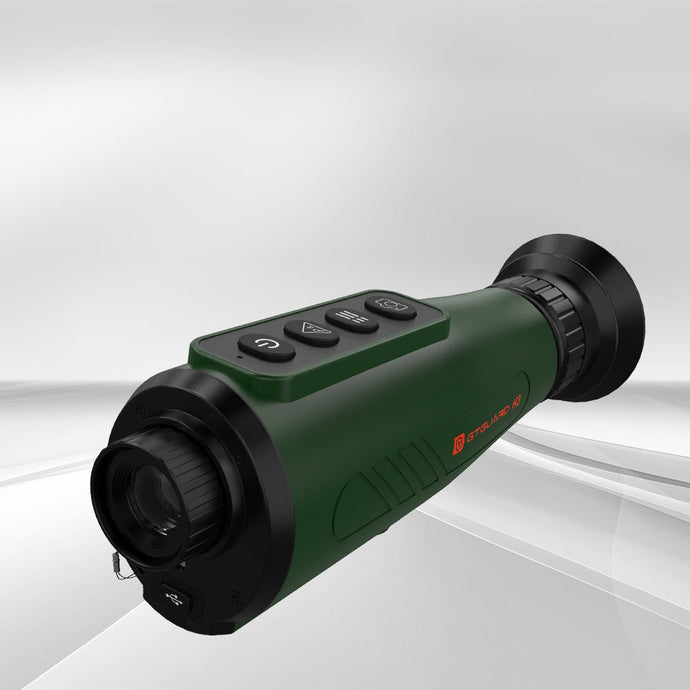
Credit: gtguardhunt.com
Frequently Asked Questions
How Can I Fix Blurry Images On Thermal Binoculars?
Check the focus ring and adjust it slowly for clarity. Clean lenses gently with a microfiber cloth. Ensure the batteries are fully charged for optimal performance. Avoid using thermal binoculars in extreme weather to reduce image distortion.
Why Are My Thermal Binoculars Images Blurry At Night?
Blurry images at night often result from low battery power or improper focus. Adjust the focus and replace or recharge batteries. Also, ensure the lenses are clean and free of fog or condensation.
Can Dirty Lenses Cause Blurry Thermal Binocular Images?
Yes, dirty or smudged lenses cause blurry images. Clean lenses carefully with a soft microfiber cloth. Avoid using harsh chemicals that can damage the lens coating. Regular cleaning improves image sharpness and device longevity.
Does Improper Calibration Affect Thermal Binocular Image Quality?
Improper calibration can cause blurry or distorted images. Follow the manufacturer’s instructions to calibrate your thermal binoculars correctly. Regular calibration ensures accurate thermal readings and sharp images. It is essential for maintaining device performance.
Conclusion
Blurry images on thermal binoculars can be frustrating to fix. Start by cleaning the lenses gently with a soft cloth. Check the focus settings and adjust them slowly for clarity. Make sure the batteries are fully charged to avoid power issues.
Avoid touching the lens with your fingers to prevent smudges. Regular maintenance keeps your binoculars working well longer. With these simple steps, your view will become clear and sharp again. Keep practicing these tips for the best experience outdoors. Clear images make spotting easier and more enjoyable.