Are you wondering how to keep your night vision binoculars working perfectly every time you use them? Proper maintenance is key to making sure your investment lasts and performs at its best.
Without the right care, your binoculars can lose clarity, suffer damage, or even stop working altogether. You’ll discover simple yet effective ways to maintain your night vision binoculars. Keep reading to learn the easy steps you can take to protect your gear and enjoy clear, sharp views in the dark for years to come.

Credit: www.usnighthawk.com
Cleaning The Lenses
Clean lenses improve night vision clarity and protect your binoculars. Use a soft cloth and gentle cleaner to wipe lenses carefully. Avoid harsh materials to prevent scratches and damage.
Choosing The Right Cleaning Tools
Use a soft microfiber clothto clean the lenses. Avoid rough materials as they may scratch the lens. A lens cleaning solutioncan help remove smudges. Never use household cleaners or paper towels.
Step-by-step Cleaning Process
- Gently dust off the lens with a blower.
- Apply lens cleaner to the cloth, not the lens.
- Wipe the lens in a circular motion.
- Check for any leftover spots.
Avoiding Common Cleaning Mistakes
Don’t press hard while cleaning. It can damage the lens. Avoid using your breath to clean. It leaves moisture behind. Never clean with dirty or wet cloth. It spreads dirt.
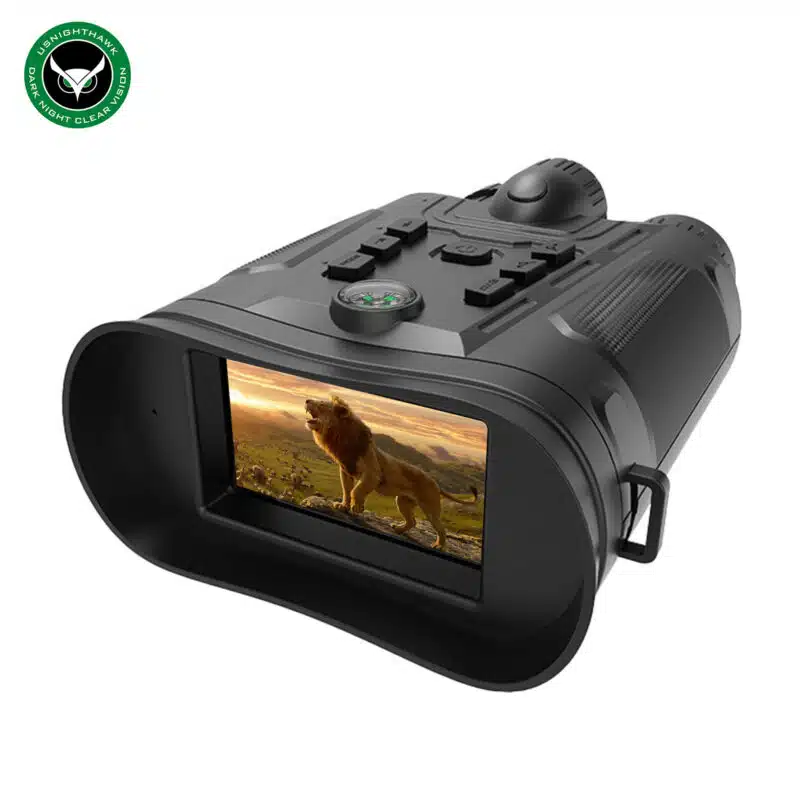
Credit: www.usnighthawk.com
Battery Care And Replacement
Night vision binoculars use different battery types. Common ones include AA, AAA, and rechargeable lithium-ion. Choose the right battery for your device. Using the wrong type can cause damage.
Store batteries in a cool, dry place. Keep them away from heat and moisture. Remove batteries if you won’t use the binoculars for a long time. This prevents leakageand corrosion.
Watch for signs of battery wear. These include:
- Shorter battery life than usual
- Device not turning on or flickering
- Leaking or swollen batteries
Replace batteries immediately if you notice any of these signs to keep your binoculars working well.
Protecting The Optics
Use protective coversto shield the lenses from dust and scratches. Covers keep the optics clean and clear. Always place covers on when the binoculars are not in use.
Handle the binoculars with care to avoid damage. Hold them by the body, not by the lenses. Avoid dropping or bumping them against hard surfaces.
Store the binoculars in a dry, cool place. Use a padded case to protect from impacts. Keep them away from direct sunlight and moisture to prevent mold.
Regular Functional Checks
Testing image clarityis key to keep night vision binoculars working well. Check the lenses for any dirt or smudges. Clean them gently with a soft cloth to avoid scratches. Look through the binoculars in low light to see if the image is clear and sharp. Blurry or dim images need attention.
Checking for internal foggingcan prevent damage. Fog inside the binoculars means moisture got in. This can harm the electronics. Hold the binoculars in front of a bright light and look inside. If you see fog, take them to a professional for repair or drying.
Ensuring proper alignmentkeeps the view comfortable and accurate. Misalignment causes double images or eye strain. Look through both lenses and check if the images match perfectly. Adjust the focus and alignment knobs as needed. Regular checks keep your binoculars ready for use.
Environmental Considerations
Night vision binoculars work best in mild temperatures. Avoid leaving them in very hot or very cold places. Sudden temperature changes can cause damage inside the device.
Moisture can harm the lenses and electronics. Keep binoculars dry to prevent fog and rust. Use silica gel packs in the case to absorb humidity.
- Store in a dry place
- Use waterproof cases if near water
- Wipe lenses gently with a soft cloth
Dust and dirt can scratch lenses or block light. Always clean them carefully after use outdoors. Use a small brush or air blower to remove particles.
Professional Servicing
Professional servicing is important to keep night vision binoculars working well. Seek expert help if you notice fuzzy images, strange noises, or power issues. Experts can clean delicate lenses and check internal parts carefully. They also fix any damage from drops or water.
Servicing usually includes cleaning lenses, checking electronics, and replacing worn parts. Experts ensure the binoculars are safe and work like new. This can stop small problems from becoming big ones.
| Aspect | Details |
|---|---|
| Cost | Ranges from $50 to $150 depending on damage |
| Frequency | Once every 1-2 years or after heavy use |
| Time | Usually 1-2 weeks for complete service |

Credit: www.usnighthawk.com
Frequently Asked Questions
How Often Should I Clean Night Vision Binocular Lenses?
Clean the lenses after every use or when dirty. Use a soft microfiber cloth and lens cleaner. Avoid harsh chemicals or abrasive materials to prevent scratches and maintain clarity.
What Is The Best Way To Store Night Vision Binoculars?
Store binoculars in a cool, dry place. Use a protective case to prevent dust and damage. Remove batteries if storing for long periods to avoid corrosion.
How Do I Protect Night Vision Binoculars From Moisture?
Keep binoculars away from water and humidity. Use silica gel packets in the storage case to absorb moisture. Wipe off any moisture immediately with a dry cloth.
Can I Use Regular Batteries For Night Vision Binoculars?
Use only manufacturer-recommended batteries. Regular batteries may leak or provide inconsistent power. Proper batteries ensure optimal performance and prolong device life.
Conclusion
Proper care keeps night vision binoculars working well. Clean lenses gently with a soft cloth. Store them in a dry, cool place after use. Check batteries regularly and replace them when needed. Avoid dropping or banging the device. Regular maintenance extends the life of your binoculars.
Small efforts prevent costly repairs later. Use these simple tips to enjoy clear night vision every time. Taking care of your binoculars ensures they stay ready for your next adventure. Simple steps, big difference.