Have you ever wanted to capture stunning close-up photos or videos using your Ed Glass binoculars and your smartphone? Combining these two tools can unlock amazing views and memories, but it can feel tricky to get started.
This guide will show you exactly how to use your Ed Glass binoculars with a smartphone adapter, step by step. By the end, you’ll be able to snap crystal-clear images and share those incredible sights with ease. Ready to transform your smartphone into a powerful zoom camera?
Let’s dive in and make it happen!
Choosing The Right Smartphone Adapter
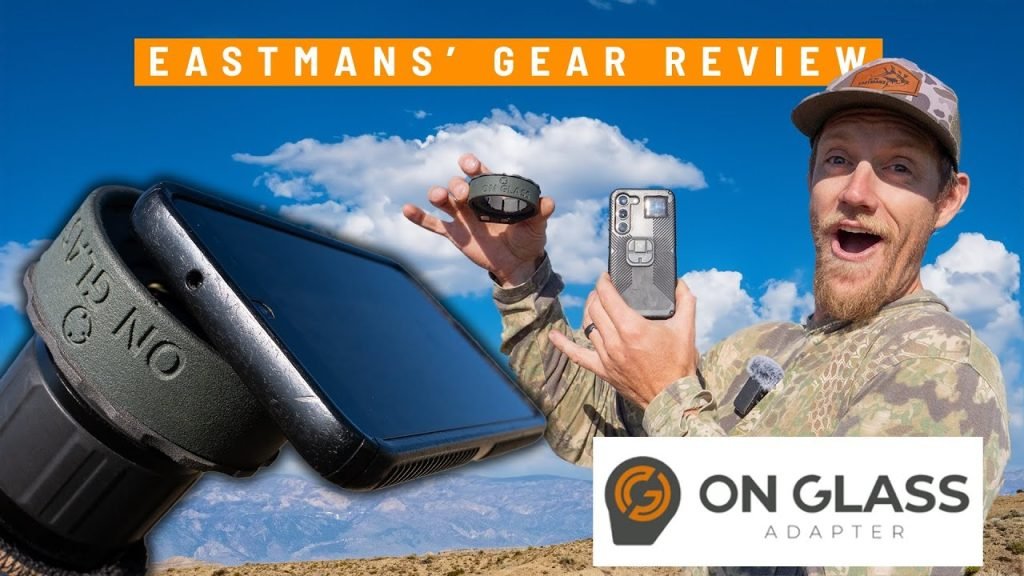
Choosing the right smartphone adapter is key for clear photos and easy use. The adapter must fit your Ed Glass binocularsperfectly. Check the diameter of the binocular eyepieceand compare it with the adapter size. Some adapters come with adjustable clampsfor different sizes.
Ease of use is important. The adapter should be lightweightand simple to attach. Look for models with quick-release mechanismsto save time. Installation should not block the binocular’s view or phone camera lens.
- Ensure the adapter holds your phone steady.
- Choose materials that are durableand non-slip.
- Pick an adapter that allows easy alignment between phone and binocular lens.
Setting Up Your Equipment
Begin by aligning the smartphone adapterwith the binocular’s eyepiece. Make sure the adapter fits snugly without gaps or wobbling. Adjust the clamps or screws on the adapter to hold it firmly in place.
Next, position your smartphone inside the adapter. Ensure the phone’s camera lens is centered over the binocular’s eyepiece. This helps capture clear and focused images or videos.
- Use the adapter’s adjustable holder to secure the phone tightly.
- Check that the phone does not move when you gently shake it.
- Keep the phone screen visible for easy camera control.
Tighten all screws and clamps so nothing shifts during use. A stable setup prevents blurry photos and videos. Take a moment to test the alignment by looking through the phone’s camera app. Adjust if needed to get a sharp view.
Optimizing Image Quality
Use the binoculars’ focus ring to sharpen the image. Turn it slowly for clear details. Adjust the smartphone’s zoom carefully to avoid blurring. Combining both helps capture crisp photos.
Light affects image quality a lot. Bright light gives better pictures. Try to avoid shadows or glare on the lenses. A cloudy day or shaded area can work well.
- Hold the binoculars steady to reduce shaking.
- Use a tripod if possible for better stability.
- Clean lenses to avoid spots or haze.

Credit: www.youtube.com
Capturing Images And Videos
To take steady shots, hold the binoculars and smartphone adapter firmly. Use both hands for more control. Rest your elbows on a solid surface like a table or wall. This reduces shaking and blurring in photos. Try to breathe out slowly before clicking the photo to keep the camera steady.
For recording high-quality videos, keep the binoculars steady throughout. Use a tripod if possible to hold the setup still. Make sure the adapter is tightly fixed to avoid movement. Choose a quiet place to reduce background noise. Start recording only after the image is clear and focused.
Troubleshooting Common Issues
Blurry imagesoften happen when the binoculars or phone lens is not clean. Use a soft cloth to gently wipe both lenses. Make sure the adapter holds the phone steady to avoid shaking. Adjust the focus ring on the binoculars slowly until the image becomes sharp. Sometimes, moving the phone slightly inside the adapter helps find the best focus.
Connectivity problemscan occur if the adapter does not fit well. Check if the adapter is firmly attached to both the binoculars and the phone. Loose connections cause poor image alignment or no image at all. Restarting your phone may fix temporary software glitches. Also, ensure the camera app has permission to use the adapter if needed.
Credit: bawaruba.com
Maintenance And Care
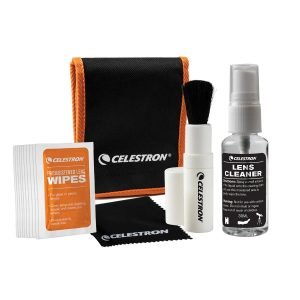
Use a soft, lint-free cloth to clean lenses gently. Avoid harsh chemicals that can damage coatings. For stubborn dirt, use a lens cleaning solution made for optics. Wipe the adapter and binocular body softly to prevent scratches. Keep cleaning tools separate from other items to avoid contamination.
Store the binoculars and adapter in a dry, cool place. Use a protective case to prevent dust and bumps. Avoid leaving them in direct sunlight or damp areas. Make sure all parts are dry before storing to prevent mold growth. Regularly check for loose screws or damage.

Credit: www.amazon.ca
Frequently Asked Questions
How Do I Attach A Smartphone Adapter To Ed Glass Binoculars?
To attach the adapter, first align it with the binocular eyepiece. Secure it tightly without over-tightening. This ensures your smartphone camera lines up correctly for clear images.
Can I Use Any Smartphone With Ed Glass Binocular Adapters?
Most adapters fit a wide range of smartphones. Check the adapter’s specifications for size compatibility. Ensure your phone’s camera aligns well with the binocular’s eyepiece for best results.
What Settings Improve Photos Using Binoculars With A Smartphone?
Use the highest camera resolution and enable autofocus. Adjust exposure manually if needed. Stabilize your hands or use a tripod to avoid blurry images.
Is It Possible To Record Videos Through Ed Glass Binoculars?
Yes, smartphones can record videos through binoculars with an adapter. Ensure steady positioning and correct focus. This setup captures distant scenes clearly and smoothly.
Conclusion
Using ED glass binoculars with a smartphone adapter is simple and fun. Attach the adapter carefully to keep your phone steady. Align your phone camera with the binocular lens for clear pictures. Practice a few times to get sharp images.
This setup lets you capture distant views easily. Enjoy nature, sports, or events with better photos. Keep your gear safe and clean for best results. Try different angles to find what works best. This method makes your binoculars more useful and enjoyable.
Give it a shot and see the difference yourself.