Are you tired of struggling with blurry images every time you use your rangefinder monocular? It’s frustrating when you’re trying to get a clear view, but the picture just won’t come into focus.
The good news is, you don’t have to settle for blurry sights. You’ll discover simple and effective ways to fix those blurry images, so your rangefinder monocular delivers sharp, crisp views every time. Keep reading, and you’ll learn exactly what to do to see the world clearly through your device.

Credit: www.amazon.com
Common Causes Of Blurry Images
Lens calibration issuescause blurry images because the lenses are not aligned properly. This misalignment makes objects look fuzzy or out of focus.
Poor lighting conditionsreduce image clarity. Low light or harsh glare can make it hard to see details clearly through the monocular.
Incorrect focus settingsare a common reason for blur. The focus knob or ring must be adjusted correctly to get a sharp image.
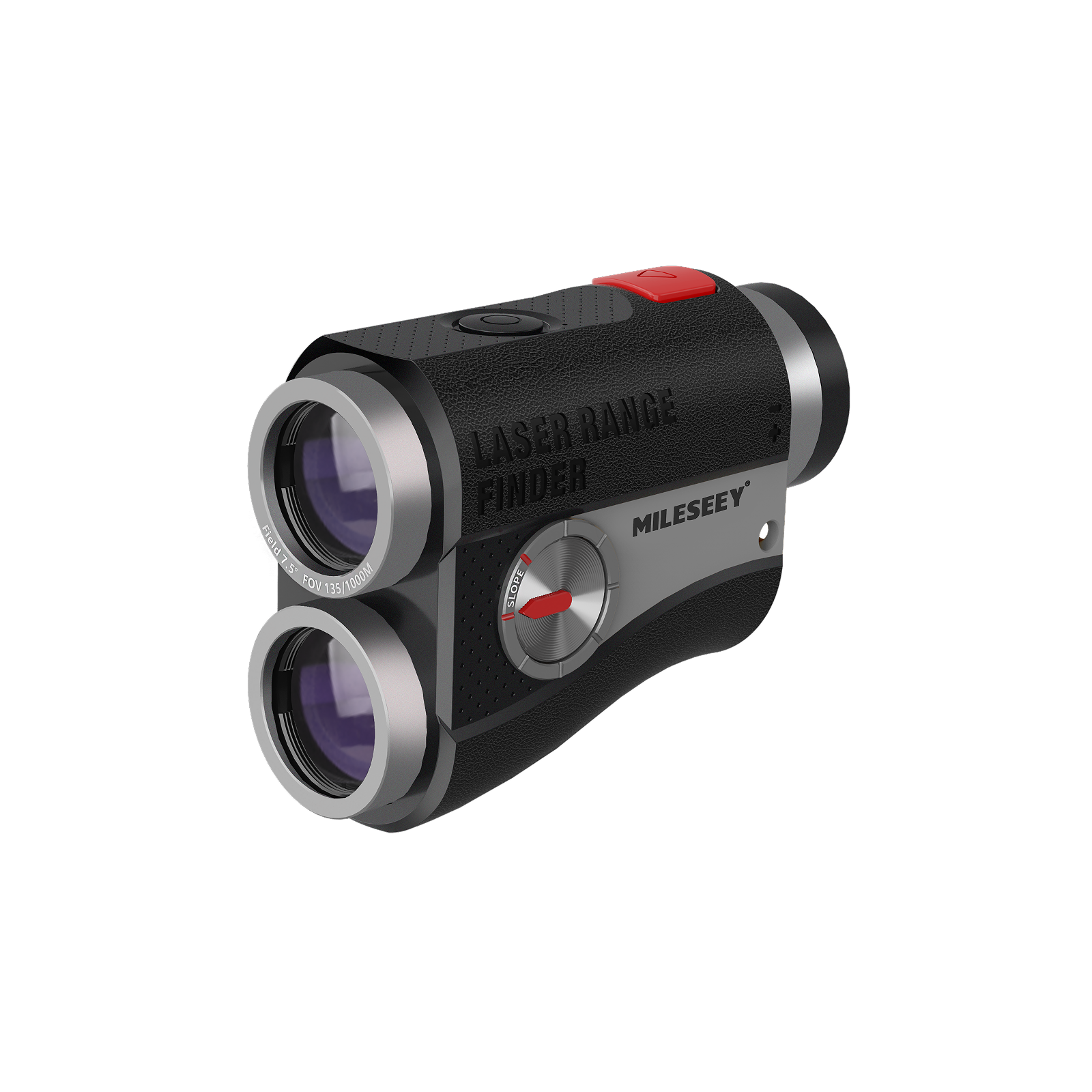
Dirty or damaged opticsalso affect image quality. Dust, smudges, or scratches on lenses cause distortions and make the view unclear. Cleaning the lenses gently can help, but deep scratches may need professional repair.
Credit: mileseeygolf.com
Basic Troubleshooting Tips
Start by checking the lensfor scratches, dirt, or smudges. Even small spots can cause blurry images.
Make sure the lens is free from moisture or fog. Use a soft cloth for gentle cleaning.
Adjust the focus ring slowly until the image becomes clear. Sometimes the focus is just off by a little.
Turn the focus wheel back and forth to find the sharpest view. Avoid forcing the ring to prevent damage.
Clean the optics carefully with a lens cleaning solution and a microfiber cloth.
- Never use rough materials that can scratch the lens.
- Use a blower brush to remove dust before wiping.
- Wipe in a circular motion for better cleaning.
Advanced Adjustment Techniques
Recalibrating the rangefinder helps fix blurry images. Adjust the calibration screw slowly. Small moves can make a big difference. Check the display after each turn. Stop when the distance reading looks clear and sharp.
Fine-tuning focus mechanisms improves clarity. Turn the focus ring gently. Watch the image closely as it changes. Make tiny adjustments until objects look crisp. Avoid forcing the ring to prevent damage.
Utilizing lighting enhancements can boost image quality. Use the monocular in bright light. Shadows and low light can cause blurriness. Consider adding an external light source. This helps the device pick up details better.
Maintaining Monocular Performance
Keeping your rangefinder monocularsin good shape helps avoid blurry images. Regular cleaning removes dust and smudges from lenses. Use a soft cloth and gentle lens cleaner. Avoid harsh chemicals that can damage coatings.
Proper storage also protects your device. Store in a dry, cool place, away from direct sunlight. Use a protective case to prevent scratches and dirt buildup.
Routine calibration checks ensure accurate focus. Adjust the focus knob gently and verify the clarity. If blurry images persist, calibration might be needed. This keeps your monoculars working at their best.
Selecting The Right Rangefinder Monocular
Selecting the right rangefinder monocular depends on several key features. Focus quality is crucial. It helps to get clear and sharp images. Look for models with adjustable focus rings. Lens coating improves light transmission and reduces glare. A higher magnification offers better detail but may reduce stability.
Comparing models and brands helps find the best fit. Some brands offer better build quality. Others provide more features for the price. Consider customer reviews to understand real-world performance.
| Feature | What to Check | Why It Matters |
|---|---|---|
| Focus Adjustment | Easy and smooth control | Ensures clear and sharp images |
| Lens Coating | Multi-coated lenses | Reduces glare and improves brightness |
| Magnification | 5x to 10x | Balances detail and image stability |
| Weight | Light and portable | Easy to carry during outdoor use |
- Budget-friendly options offer good value.
- Basic models may lack advanced features.
- Look for sales or discounts to save money.
- Check warranty and customer support services.

Credit: www.cpme.co.uk
When To Seek Professional Help
Serious damage signsinclude cracked lenses, loose parts, or persistent blur. If cleaning does not help, it might be broken inside.
Check the warranty before attempting any repairs yourself. Many rangefinder monoculars come with repair servicesfrom the manufacturer. This can save money and ensure proper fixing.
Optics experts have the right tools and skills to fix complex issues. They can also offer advice on maintenance to prevent future problems.
Frequently Asked Questions
Why Are My Rangefinder Monocular Images Blurry?
Blurry images often result from incorrect focus settings or dirty lenses. Check the focus wheel and clean lenses with a microfiber cloth for clarity.
How Can I Adjust Focus On A Rangefinder Monocular?
Turn the focus ring slowly while looking through the monocular until the image sharpens. Proper lighting helps achieve better focus.
Can Dirty Lenses Cause Blurry Images In Monoculars?
Yes, dust, smudges, or fingerprints on lenses degrade image quality. Regularly clean lenses using a soft cloth and lens cleaner.
Does Distance Affect Image Clarity On Rangefinder Monoculars?
Yes, images can blur if the target is beyond the device’s effective range. Always use the monocular within its specified distance limits.
Conclusion
Blurry images on your rangefinder monoculars can be fixed with simple steps. Clean the lenses gently and check the focus settings. Adjust the eyepiece until the image looks sharp. Make sure the device is steady while using it. Regular care keeps your view clear and bright.
With patience, you will enjoy crisp images every time. Don’t give up; clarity is within reach. Keep practicing these tips for the best results. Your outdoor experience will improve greatly. Clear sight makes all the difference.