Are city lights making it hard for you to get clear surveillance footage? You’re not alone.
Glare from bright urban lights can blur your images and hide important details. But what if you could easily reduce this glare and capture sharp, reliable video every time? You’ll discover simple, effective ways to avoid glare from city lights during surveillance.
Keep reading to protect your property and make sure nothing goes unnoticed.
Causes Of Glare In Urban Surveillance
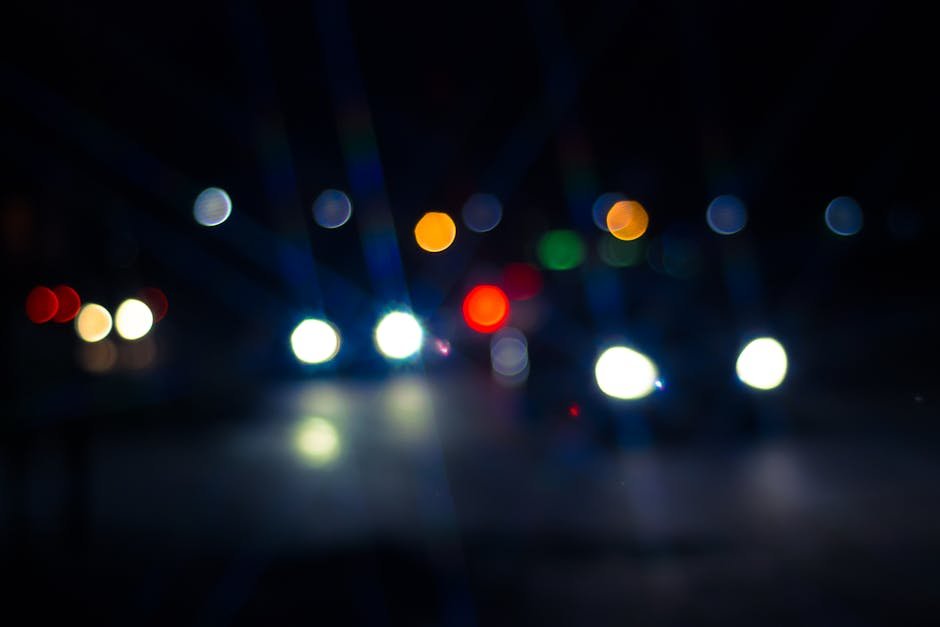
Glare from city lights can make surveillance cameras less effective. It causes bright spots or reflections that block clear views.
Understanding the causes of glare helps in reducing it. This improves the quality of video footage in urban areas.
Common Light Sources
City lights come from many sources that cause glare. Street lamps, vehicle headlights, and neon signs are the main contributors.
- Bright street lamps close to cameras
- Headlights from cars and trucks
- Flashing or colorful neon signs
- Security lights on buildings
Reflective Surfaces
Shiny surfaces reflect city lights and create glare. Glass windows, wet roads, and metal objects often cause this issue.
These reflections confuse cameras and reduce image clarity. They make it hard to see details during surveillance.
- Glass windows on buildings
- Wet or polished road surfaces
- Metal fences and signs
- Car bodies and mirrors
Camera Lens Issues
Glare can also come from problems with the camera lens. Dirt, scratches, or smudges make light scatter and cause glare.
Poor lens design or wrong angle can increase glare. Using the right lens and keeping it clean helps reduce this problem.
Choosing The Right Equipment
Glare from city lights can reduce the quality of surveillance images. Picking the right equipment helps reduce this glare. It improves the clarity of your footage at night.
Using proper lenses, filters, and camera placement can cut down glare. This guide explains how to choose these tools carefully.
Lens Selection
Choosing the right lens is key to avoiding glare. Lenses with a low f-number let in more light but may increase glare.
Use lenses with anti-reflective coatings. These coatings reduce reflections and improve image sharpness.
- Pick lenses with anti-glare coatings
- Use lenses with a moderate aperture (f/2.8 to f/5.6)
- Consider prime lenses for better control over light
Use Of Filters
Filters help reduce unwanted light reflections. A polarizing filter blocks glare from shiny surfaces.
Neutral density filters lower light intensity. This helps prevent overexposure in bright city areas.
- Install polarizing filters to cut glare
- Use neutral density filters to balance brightness
- Check filter compatibility with your camera lens
Camera Placement
Place cameras away from direct bright lights. Avoid facing windows or reflective surfaces that cause glare.
Mount cameras at angles that limit light hitting the lens directly. Adjust height to reduce light reflection.
- Position cameras away from street lamps
- Avoid angles that catch reflections
- Use shields or hoods to block stray light
Techniques To Minimize Glare
Glare from city lights can affect surveillance quality. It creates bright spots that hide important details. Using simple techniques helps reduce glare for clearer images.
These methods improve visibility and make your surveillance system more effective. Below are key ways to control and avoid glare during night monitoring.
Adjusting Angles
Changing the camera angle helps reduce glare from bright city lights. Point the camera slightly away from direct light sources. This lowers the chance of light reflecting into the lens.
Try different angles before fixing the camera. Small changes can make a big difference in image clarity.
- Avoid pointing the camera directly at street lamps or bright signs
- Use a downward angle to limit light reflection
- Test angles during different times to find the best position
Using Hoods And Shields
Camera hoods or shields block unwanted light from hitting the lens. They act like a sunshade and reduce glare. You can buy or make simple shields to fit your camera.
These accessories also protect the lens from rain and dust. Use hoods that extend just enough to block bright lights without hiding the view.
- Choose hoods made of matte black material to absorb light
- Make sure shields do not block important areas in the frame
- Regularly clean hoods to avoid dirt buildup that can cause glare
Controlling Exposure Settings
Adjusting camera exposure helps manage glare from bright lights. Lower exposure settings prevent the image from becoming too bright. This keeps details visible in dark areas.
Use manual exposure controls if available. Automatic modes may not handle city light glare well. Experiment with settings to find the right balance.
- Reduce ISO to lower sensor sensitivity
- Increase shutter speed to limit light exposure
- Adjust aperture to control how much light enters the lens
- Use cameras with HDR to balance bright and dark areas

Credit: revolveled.com
Leveraging Technology
City lights can create glare that disrupts clear surveillance. Using the right technology helps reduce this glare. It improves image quality and makes monitoring easier.
This guide covers three key tools. HDR cameras, infrared and night vision, and software correction tools all help reduce glare effects.
Hdr Cameras
HDR (High Dynamic Range) cameras capture details in bright and dark areas. They handle glare from city lights better than normal cameras. HDR technology balances light levels.
- Captures multiple exposures quickly
- Combines images for better brightness balance
- Reduces overexposed areas caused by glare
- Improves detail in shadows and highlights
Infrared And Night Vision
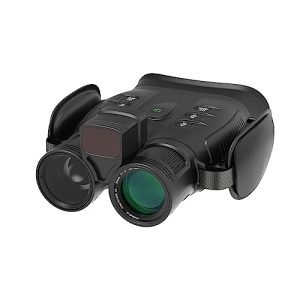
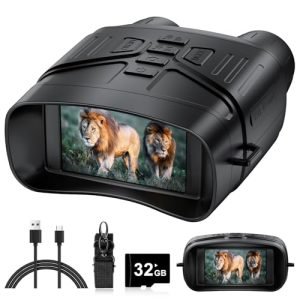
Infrared (IR) and night vision cameras see in low light without relying on city lights. They use infrared light invisible to the human eye. This avoids glare from bright city lights.
| Technology | How It Helps Reduce Glare |
| Infrared Cameras | Use IR light to see without city light interference |
| Night Vision Cameras | Amplify low light, ignoring bright light spots |
Software Correction Tools
Software tools adjust images to reduce glare effects after recording. They use algorithms to correct brightness and contrast. This makes details clearer despite bright lights.
- Glare reduction filters smooth bright spots
- Contrast adjustment balances light and dark areas
- Image sharpening enhances details lost in glare
- Automatic brightness control adapts to changing light
Environmental Adjustments
Glare from city lights can ruin clear surveillance footage. Adjusting your environment helps reduce unwanted light reflections. Simple changes make a big difference in capturing better images.
Focus on controlling nearby lights, using natural barriers, and picking the right time for surveillance. These methods improve visibility and lower glare problems.
Managing Surrounding Lights
Bright lights near surveillance cameras cause glare and wash out images. Managing these lights helps improve camera performance.
- Dim or turn off nearby outdoor lights during surveillance.
- Use shielded fixtures to direct light away from cameras.
- Install motion sensor lights to reduce constant glare.
- Replace harsh white bulbs with softer, warmer lighting.
Strategic Landscaping
Plants and structures can block unwanted light from reaching cameras. Landscaping offers natural glare control without extra energy use.
| Landscaping Element | Purpose |
| Tall bushes | Block direct light from street lamps |
| Trees with dense foliage | Reduce reflected light on camera lenses |
| Fences or walls | Shield cameras from nearby bright lights |
Timing Surveillance
Choosing the right time for surveillance helps avoid glare caused by city lights. Some hours have less artificial light interference.
- Conduct surveillance late at night when most city lights are off.
- Avoid early evening hours when lights turn on and cause glare.
- Use cameras with low-light technology to capture clearer images.

Credit: www.reddit.com
Maintenance And Regular Checks
Keeping your surveillance equipment in good condition helps reduce glare from city lights. Regular maintenance and checks ensure clear images and better performance.
Simple steps like cleaning lenses, inspecting equipment, and updating firmware can make a big difference in avoiding glare during night surveillance.
Cleaning Lenses
Dirty lenses cause light to scatter and increase glare. Clean lenses regularly with a soft cloth and lens cleaner. Avoid harsh chemicals that can damage the lens surface.
- Use microfiber cloths to prevent scratches
- Apply lens cleaning solution sparingly
- Wipe in gentle circular motions
- Clean lenses at least once a month
Inspecting Equipment
Check your surveillance devices regularly to spot damage or misalignment. Loose parts or cracked lenses can worsen glare and reduce image quality.
| Inspection Item | What to Check | Frequency |
| Lens Condition | Cracks, dirt, scratches | Monthly |
| Camera Position | Alignment and angle | Weekly |
| Mounts and Cables | Secure fittings, no wear | Monthly |
Updating Firmware
Firmware updates improve camera functions and reduce glare effects. Check for updates from the manufacturer and install them promptly to keep your system running well.
Follow these tips for firmware updates:
- Connect cameras to a stable internet
- Download updates only from official sites
- Backup settings before updating
- Restart equipment after update

Credit: www.reddit.com
Frequently Asked Questions
How Can I Reduce Glare From City Lights On Cameras?
Use lens hoods or anti-reflective coatings to minimize glare. Position cameras away from direct light sources for clearer images.
What Camera Settings Help Avoid Glare During Surveillance?
Adjust exposure and use narrow apertures to reduce light flares. Lower ISO settings also help prevent overexposure from bright city lights.
Are Special Lenses Effective Against City Light Glare?
Yes, polarized and anti-glare lenses significantly reduce reflections and improve image clarity in bright urban environments.
Can Physical Barriers Block Glare From City Lights?
Installing shades or barriers can block direct light hitting the camera lens. This reduces unwanted reflections and improves surveillance quality.
Conclusion
Reducing city light glare improves surveillance efficiency. Use anti-glare screens and adjust camera angles. Install filters to minimize light interference. Choose appropriate camera lenses for better clarity. Regularly clean and maintain equipment to ensure optimal performance. Test different setups to find what works best.
Always prioritize clear visibility. Effective surveillance reduces risks and enhances security. With these tips, manage city light challenges effectively. Secure your surroundings with confidence.