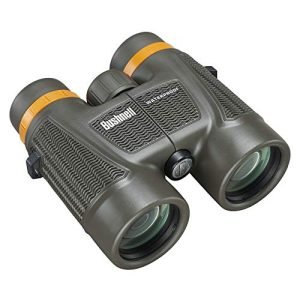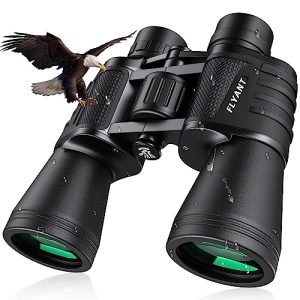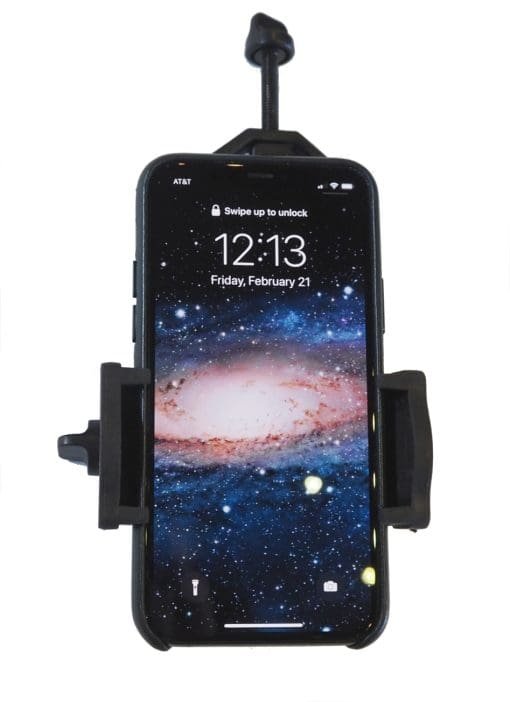
Have you ever wondered if your ED binoculars can connect with phone adapters? Imagine capturing crisp, detailed photos or videos through your binoculars, right on your phone.
It sounds exciting, but does it really work? If you want to know how to make the most of your binoculars and phone together, keep reading. This article will clear up the mystery and help you unlock new ways to enjoy your outdoor adventures.
What Are Ed Binoculars
ED binoculars use special glass called Extra-low Dispersion glass. This glass helps reduce color blur in images. People use ED binoculars to see clearer and sharper views.
These binoculars are popular for bird watching, hiking, and sports. They give better image quality than regular binoculars.
Features Of Ed Glass
ED glass has low dispersion, which means it bends light less. This stops colors from spreading out too much. The glass helps to focus light better.
ED glass is made with special materials that reduce unwanted color effects. This makes the image look natural and clear.
- Reduces color fringing around edges
- Improves light transmission
- Made from special low-dispersion materials
- Helps focus light sharply
Benefits For Clarity And Color
Using ED glass improves image sharpness. Colors look more true and less blurry. This helps you see details clearly.
ED binoculars reduce eye strain by giving clear images. You can watch for longer without your eyes getting tired.
- Sharper images with better detail
- More natural and accurate colors
- Less color blur on edges of objects
- Comfortable viewing for long periods

Credit: www.amazon.ca
Phone Adapters For Binoculars
Phone adapters help you attach your phone to binoculars. This lets you take clear pictures through the lenses.
These adapters come in different styles and sizes. They make it easy to use your phone camera with binoculars.
Types Of Phone Adapters
Phone adapters for binoculars vary by design and function. Some fit specific phone models, while others are adjustable.
- Clamp-style adapters: Hold the phone tightly with adjustable clamps.
- Universal adapters: Fit many phone sizes using flexible parts.
- Magnetic adapters: Use magnets to connect phone and binoculars.
- Ring adapters: Attach via a ring that fits around the binocular eyepiece.
How They Attach To Binoculars
Adapters attach by gripping the phone and aligning the camera with the binocular lens. Proper alignment is key for clear images.
Some adapters use clamps to hold the phone firmly. Others fit over the binocular eyepiece like a ring.
- Clamp adapters tighten around the phone and binocular barrel.
- Ring adapters slide over the eyepiece for a secure fit.
- Magnetic adapters connect with small magnets for quick setup.
Compatibility Of Ed Binoculars With Phone Adapters
ED binoculars offer sharp images by reducing color distortion. Many users want to connect them to their phones. Phone adapters help link binoculars to cameras on phones.
Not all ED binoculars work well with phone adapters. The design and size of the binoculars affect this. It is important to know what factors matter.
Factors Affecting Compatibility
Several things affect if ED binoculars fit phone adapters. The main points include the eyepiece size, shape, and phone adapter design.
- Eyepiece Diameter:The diameter must match the adapter clamp size.
- Eyepiece Shape:Round eyepieces fit better than oval or irregular shapes.
- Adapter Design:Some adapters have adjustable clamps to fit different sizes.
- Phone Camera Position:The camera lens should align with the binocular eyepiece.
- Binocular Weight:Heavy binoculars may need stronger adapters for secure mounting.
Popular Models That Work Well
Some ED binoculars are known for easy phone adapter use. These models have standard eyepiece sizes and simple shapes.
| Binocular Model | Eyepiece Diameter (mm) | Adapter Compatibility |
|---|---|---|
| Vortex Viper HD | 40 | Fits most universal adapters |
| Nikon Monarch 5 | 42 | Works well with adjustable clamps |
| Zeiss Terra ED | 36 | Compatible with select phone adapters |
| Leica Trinovid HD | 38 | Fits with some custom adapters |

Credit: scubadocuracao.com
Setting Up Ed Binoculars With Phone Adapters
ED binoculars provide clear and sharp views. You can capture these views using phone adapters. This guide helps you attach your phone to ED binoculars correctly.
Using a phone adapter lets you take photos or videos through the binocular lenses. Follow the instructions to get a good fit and clear images.
Step-by-step Mounting Process
Start by choosing a phone adapter that fits your binocular model. Next, place the adapter securely over the eyepiece.
- Clean the binocular eyepiece and your phone lens to remove dust.
- Attach the phone adapter to your phone using the clamps or screws provided.
- Align the adapter’s hole with your phone camera lens.
- Slide the adapter over the binocular eyepiece carefully.
- Tighten any screws or clamps to hold the adapter in place.
- Open your phone camera app and check the view through the binoculars.
- Adjust the phone or adapter to center the binocular image.
Tips For Stable Alignment
Keeping your phone and binoculars steady is key. Use these tips to avoid blurry images and keep your setup aligned.
- Use a tripod or stable surface for support.
- Lock the focus on both your binoculars and phone camera.
- Check that the phone lens is perfectly centered over the eyepiece.
- Secure all clamps tightly but avoid over-tightening.
- Minimize movement while capturing images or videos.
Image Quality Using Phone Adapters
Using phone adapters with ED binoculars lets you take pictures through the lenses. This setup can produce sharp and clear photos. But the quality depends on several factors.
Phone adapters help hold your phone steady to the binocular eyepiece. This reduces shaking and improves focus. Still, you must understand how ED glass affects your images.
Impact Of Ed Glass On Photos
ED glass stands for Extra-low Dispersion glass. It helps reduce color fringing and improves sharpness. This makes photos look clearer and closer to real life.
When using phone adapters, ED glass keeps colors true and images crisp. It limits blurring around the edges of objects. This is important for nature and wildlife photos.
Common Challenges And Solutions
Taking photos through binoculars can have challenges. The phone camera and binocular lenses must align perfectly. Otherwise, the photo may be blurry or dark.
Here are common problems and tips to fix them:
- Shaky images:Use a tripod or steady your hands to avoid blur.
- Dark photos:Increase phone exposure or use binoculars with better light transmission.
- Uneven focus:Adjust phone lens position carefully for a clear picture.
- Color fringing:Choose binoculars with good ED glass to reduce this effect.
Best Practices For Using Ed Binoculars With Phones
ED binoculars offer clear and sharp views. You can use them with phone adapters to capture photos and videos.
Using a phone adapter helps align your phone camera with the binocular lens. This setup can improve your phone’s zoom and image quality.
Optimizing Focus And Zoom
Focus and zoom are key to clear pictures. Start by adjusting the binocular focus before attaching your phone.
After mounting your phone, slowly zoom in with the binoculars. Use your phone’s camera focus to fine-tune the image.
- Set binocular focus on the object first
- Attach phone adapter securely to avoid movement
- Use binocular zoom to get close to the subject
- Tap your phone screen to focus the camera
- Adjust phone zoom carefully to keep image sharp
Maintenance And Care Tips
Keep your ED binoculars and phone adapter clean and safe. Dirt or scratches can reduce image quality.
Store them in a padded case to protect from damage. Regular cleaning helps maintain clear lenses and smooth operation.
- Use a soft cloth to clean lenses gently
- Avoid touching lenses with fingers
- Check adapter screws and tighten if loose
- Keep equipment dry and avoid extreme heat
- Store in a protective case when not in use
Alternatives To Phone Adapters For Ed Binoculars
ED binoculars offer sharp images with less color distortion. Many want to use phone adapters to capture photos through them. Some find phone adapters tricky or limiting.
This guide shows other ways to use ED binoculars for viewing and photography without phone adapters. These options can suit different needs and budgets.
Dedicated Spotting Scopes
Spotting scopes are made for detailed viewing at long distances. They often have larger lenses than binoculars. This gives a brighter image and more zoom power.
- Some spotting scopes have camera mounts built in.
- They work well with DSLR or mirrorless cameras.
- Spotting scopes often have better image stabilization options.
- They can be paired with phone adapters designed specifically for scopes.
- Many models come with angled eyepieces for easier viewing.
Choosing a spotting scope can be good for users who want higher zoom and photography without fiddling with adapters for binoculars.
Digital Binocular Options
Digital binoculars combine optics with built-in cameras. They let you capture photos and videos directly. No need for separate phone adapters.
| Feature | Digital Binoculars | ED Binoculars + Phone Adapter |
| Image Capture | Built-in camera | Uses phone camera |
| Ease of Use | Simple, all-in-one device | Needs alignment and adapter |
| Zoom Capability | Moderate zoom with digital enhancement | Optical zoom of binoculars |
| Portability | Usually compact and lightweight | Depends on adapter size |
| Cost | Varies, often more expensive | ED binoculars plus adapter cost |
Digital binoculars suit users who want quick photo or video capture without extra gear. They are handy for casual outdoor use.

Credit: www.amazon.ca
Frequently Asked Questions
Do Ed Binoculars Support Phone Adapter Attachments?
Yes, many ED binoculars are compatible with phone adapters. The adapters fit securely on the eyepiece. This allows you to capture clear images using your smartphone camera through the binocular lenses.
Can I Use Any Phone Adapter With Ed Binoculars?
Not all phone adapters fit every ED binocular model. It’s important to check the adapter’s size and compatibility. Choose adapters designed for your binocular’s eyepiece diameter for a stable and sharp connection.
Will Phone Adapters Affect Image Quality With Ed Binoculars?
A good quality phone adapter does not reduce image clarity. ED binoculars’ extra-low dispersion glass maintains sharpness and color accuracy. However, a poorly fitted adapter might cause vibrations or blurriness.
How Do I Attach A Phone Adapter To Ed Binoculars?
Attach the adapter by aligning it with the binocular eyepiece. Secure it firmly to avoid movement. Then, position your smartphone camera lens inside the adapter for the best focus.
Conclusion
ED binoculars can work well with many phone adapters. Choosing the right adapter is key for a clear image. Some adapters fit better than others on ED binoculars. Test your setup before important use to avoid problems. This pairing lets you capture distant views easily.
It adds fun and function to your outdoor activities. Keep in mind, quality matters for good photos. Simple steps help you enjoy this combo fully. Try different options to see what suits you best.