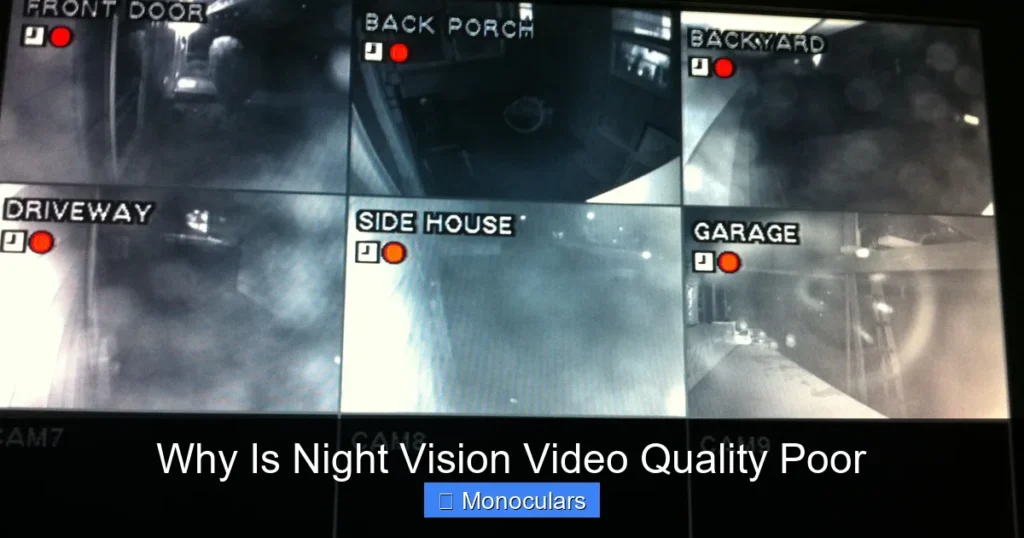
Night vision video quality often looks grainy, blurry, or washed out because of limited light, sensor constraints, and infrared interference. Understanding these factors helps you choose better gear and set realistic expectations for low-light recording.
Have you ever recorded a nighttime scene with a night vision monocular, only to be disappointed by the grainy, blurry, or overly green video? You’re not alone. Many users expect crisp, clear footage like daytime recordings, but night vision video often falls short. The truth is, night vision technology has come a long way, but it still faces fundamental challenges that limit video quality—especially in affordable or compact devices like monoculars.
Night vision doesn’t work like regular cameras. Instead of relying on visible light, it amplifies tiny amounts of available light—like moonlight or starlight—or uses infrared (IR) illumination to “see” in the dark. This process introduces several technical hurdles. From sensor limitations to environmental interference, multiple factors combine to reduce video clarity. But understanding these issues doesn’t just explain the problem—it also helps you make smarter choices when buying or using night vision gear.
Key Takeaways
- Low light limits detail: Night vision relies on minimal ambient light, which reduces image clarity and color accuracy.
- Sensor size matters: Smaller sensors in budget monoculars capture less light, leading to noisy, low-resolution footage.
- Infrared (IR) lighting causes artifacts: IR illuminators can create hotspots, glare, or a “washed-out” look in videos.
- Frame rate drops in darkness: To gather more light, devices slow shutter speeds, causing motion blur and choppy playback.
- Compression reduces quality: Many night vision devices compress video to save storage, sacrificing detail and sharpness.
- Environmental factors play a role: Fog, rain, dust, and distance all degrade night vision performance.
- Higher-end models perform better: Premium monoculars use advanced sensors and processing to deliver clearer, smoother night vision video.
📑 Table of Contents
How Night Vision Works—and Why It Struggles
At its core, night vision technology captures low-light images and amplifies them so humans can see. In digital night vision monoculars, this is done using an image sensor (like a CMOS or CCD) paired with an infrared illuminator. The sensor collects whatever light is available—visible or near-infrared—and converts it into an electronic signal. That signal is then processed and displayed on a screen or recorded as video.
But here’s the catch: there’s simply not much light at night. Even on a clear, moonlit night, light levels can be 10,000 times lower than during the day. To compensate, night vision devices use longer exposure times, higher ISO settings, and IR lighting. While these help you see something, they also degrade video quality. The result? Grainy footage, reduced detail, and a noticeable drop in sharpness compared to daytime recordings.
The Role of Image Sensors
The image sensor is the heart of any night vision device. In monoculars, space and cost constraints often mean smaller sensors are used. A smaller sensor captures less light, which increases noise and reduces dynamic range. Think of it like trying to take a photo in a dim room with a smartphone—grainy and washed out. The same principle applies to night vision.
Higher-end monoculars use larger, more sensitive sensors (like STARVIS or back-illuminated CMOS), which perform much better in low light. But budget models? They often rely on older or lower-grade sensors that struggle to produce clean video, even with IR help.
Low Light = Low Detail
One of the biggest reasons night vision video looks poor is simply the lack of light. Without enough photons hitting the sensor, the camera can’t resolve fine details. This leads to soft edges, loss of texture, and difficulty distinguishing objects—especially at a distance.
For example, imagine trying to record a deer standing 100 yards away in total darkness. Even with IR illumination, the monocular may only capture a fuzzy silhouette. Facial features, clothing patterns, or animal markings become nearly impossible to identify. This isn’t a flaw in the device—it’s a physical limitation of light itself.
Color vs. Monochrome
Most night vision video is displayed in monochrome (usually green or black-and-white), not full color. Why? Because color sensors require more light to produce accurate hues. In low-light conditions, color information is lost first. So, to maintain visibility, night vision systems default to grayscale.
While some newer “color night vision” monoculars exist, they still rely on minimal ambient light and often produce muted, low-saturation colors. The result? Videos that look unnatural and lack the vibrancy of daytime footage.
Infrared Illumination: Helpful but Problematic
Many night vision monoculars include built-in IR illuminators—essentially invisible flashlights that emit infrared light. These help “light up” dark scenes so the sensor can capture more detail. But IR lighting isn’t perfect.
Hotspots and Glare
IR beams can create uneven lighting. Objects close to the monocular may appear overly bright (a “hotspot”), while distant ones remain dark. This contrast imbalance makes video look unnatural and can obscure important details. In some cases, IR light reflects off fog, dust, or rain, creating a “glow” or “haze” that washes out the image.
Limited Range
Most built-in IR illuminators have a short range—typically 50 to 150 feet. Beyond that, the light fades, and the image darkens. If you’re recording wildlife or security footage at a distance, the video will quickly lose clarity. External IR illuminators can help, but they add bulk and require extra power.
Frame Rate and Motion Blur
To capture more light, night vision devices often reduce their frame rate or use slower shutter speeds. This helps brighten the image but introduces motion blur. Fast-moving objects—like a running animal or a passing car—appear smeared or ghosted across the frame.
For example, a monocular recording at 15 frames per second (fps) instead of 30 fps will look choppy and laggy. While this may be acceptable for still observation, it makes video playback feel sluggish and less immersive. Worse, slow shutter speeds can’t “freeze” motion, so action shots become unusable.
The Trade-Off: Light vs. Smoothness
Manufacturers face a tough choice: prioritize brightness or smoothness. Most budget monoculars lean toward brightness, sacrificing frame rate. Premium models use better processors and sensors to maintain higher frame rates without sacrificing too much light sensitivity—but they cost more.
Video Compression and Storage Limits
Another hidden factor affecting night vision video quality is compression. To save storage space and extend battery life, many monoculars compress video files using formats like H.264 or H.265. While this reduces file size, it also discards image data—especially in dark or noisy areas.
Loss of Detail in Shadows
Compression algorithms struggle with low-light footage. Dark regions may become blocky or pixelated, and subtle gradients turn into flat, muddy tones. This is especially noticeable when zooming in or reviewing footage on a large screen.
Additionally, some devices limit video resolution in night mode to reduce processing load. A monocular might record 1080p during the day but drop to 720p or lower at night—further reducing clarity.
Environmental Challenges
Even the best night vision gear can’t overcome poor environmental conditions. Weather, distance, and obstacles all impact video quality.
Weather and Atmospheric Interference
Fog, rain, snow, and humidity scatter light—including IR. This reduces visibility and creates a “hazy” effect in videos. Dust, smoke, or pollen can have the same impact, especially over long distances.
Distance and Magnification
Night vision performance drops sharply with distance. A monocular may clearly show a person at 50 yards, but at 200 yards, they become a blurry blob. Digital zoom makes it worse, amplifying noise and reducing sharpness. Optical zoom helps, but most compact monoculars have limited zoom range.
How to Improve Night Vision Video Quality
While you can’t eliminate all limitations, you can take steps to get better results.
Choose the Right Monocular
Invest in a model with a large sensor, high sensitivity (measured in lux), and good IR range. Look for features like adjustable IR intensity, high frame rates, and minimal compression. Brands like Pulsar, ATN, and Sightmark offer monoculars with superior night vision video performance.
Use External Lighting
Supplement built-in IR with external IR illuminators or white light (if stealth isn’t required). Position them carefully to avoid hotspots and ensure even coverage.
Optimize Settings
Adjust brightness, contrast, and IR power based on conditions. Avoid maxing out IR unless necessary—it can cause overexposure. Use manual focus for sharper images at fixed distances.
Record in Good Conditions
Clear, dry nights with some ambient light (moonlight, starlight) yield the best results. Avoid recording in heavy rain, fog, or total darkness without sufficient IR.
Post-Processing Tips
Use video editing software to reduce noise, enhance contrast, and stabilize footage. Tools like Adobe Premiere, DaVinci Resolve, or even free apps can improve clarity—but don’t expect miracles.
Conclusion
Night vision video quality is often poor not because the technology is flawed, but because it’s working against the laws of physics. Low light, small sensors, IR limitations, and environmental factors all contribute to grainy, blurry, or washed-out footage. While advancements continue to improve performance, especially in high-end monoculars, users should set realistic expectations.
Understanding these limitations helps you choose better gear, use it more effectively, and appreciate the trade-offs involved. Whether you’re using night vision for wildlife observation, security, or outdoor adventures, knowing why video quality suffers—and how to mitigate it—can make a big difference in your experience.
Frequently Asked Questions
Why does night vision video look green?
Most night vision displays use a green phosphor screen because the human eye is more sensitive to green light in low-light conditions. This makes images appear brighter and easier to see for longer periods without eye strain.
Can night vision record in color?
Some advanced monoculars offer color night vision, but they require some ambient light and often produce muted colors. True full-color night vision is still limited and typically found in high-end military or professional gear.
Does higher magnification reduce night vision quality?
Yes, higher magnification amplifies noise and reduces brightness, especially in low light. Digital zoom worsens this effect, so optical zoom and closer distances yield better results.
Why is my night vision video blurry when moving?
Slow shutter speeds and low frame rates cause motion blur. The camera needs more time to gather light, so fast movement appears smeared. Using a tripod or stabilizing the monocular can help reduce blur.
Can I improve night vision video with software?
Yes, video editing tools can reduce noise, sharpen edges, and adjust contrast. However, they can’t restore lost detail—so starting with the best possible footage is key.
Are expensive monoculars worth it for better video?
Generally, yes. Higher-end models use better sensors, processors, and IR systems, resulting in clearer, smoother, and more detailed night vision video—especially in challenging conditions.