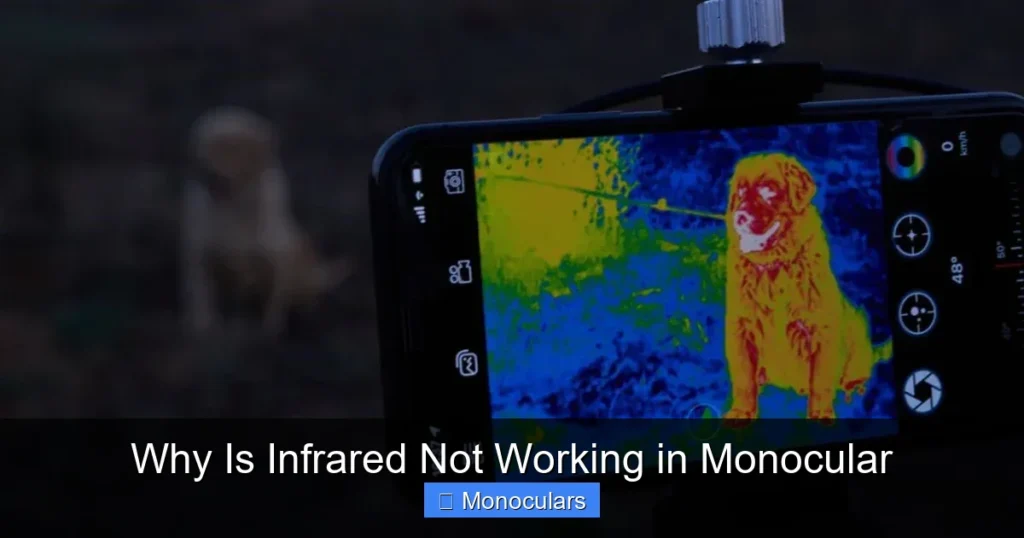
If your monocular’s infrared feature isn’t working, it’s likely due to battery issues, environmental factors, or incorrect settings. Understanding how infrared technology functions and how to properly maintain your device can restore functionality and improve night vision performance.
Key Takeaways
- Battery power is critical: Infrared systems require sufficient voltage—low or dead batteries are the most common cause of failure.
- Environmental conditions matter: Heavy fog, rain, or dense foliage can block or scatter infrared light, reducing effectiveness.
- Lens and sensor cleanliness: Dirt, smudges, or moisture on the lens or IR sensor can block infrared signals and degrade image quality.
- Incorrect mode settings: Some monoculars require you to manually activate IR mode—check your user manual for proper setup.
- Hardware malfunctions: Damaged IR emitters, faulty sensors, or internal wiring issues may require professional repair or replacement.
- Compatibility with ambient light: Infrared works best in total darkness—bright ambient light can overwhelm the sensor.
- Firmware or software glitches: On digital monoculars, outdated firmware can cause IR features to malfunction—updating may resolve the issue.
📑 Table of Contents
Why Is Infrared Not Working in Monocular? A Complete Guide
If you’ve ever pulled out your monocular on a dark night, eager to see clearly in the dark, only to find the infrared (IR) feature isn’t working, you’re not alone. It’s a frustrating experience—especially when you’re counting on that night vision capability for hunting, wildlife observation, or security purposes. Infrared technology is designed to amplify low-light environments by detecting heat signatures and emitting near-infrared light, but when it fails, it can leave you completely in the dark—literally.
Understanding why infrared isn’t working in your monocular starts with knowing how the technology operates. Unlike regular optics that rely on visible light, infrared monoculars use specialized sensors and emitters to capture and project images in near-total darkness. But this advanced functionality depends on several factors working in harmony: power supply, environmental conditions, device settings, and hardware integrity. When one of these elements fails, the entire system can break down.
In this guide, we’ll walk you through the most common reasons your monocular’s infrared feature might not be working, how to diagnose the issue, and what you can do to fix it—or prevent it from happening again. Whether you’re a seasoned outdoorsman or a casual stargazer, these insights will help you get the most out of your night vision gear.
Understanding How Infrared Works in Monoculars
Before diving into troubleshooting, it helps to understand the basics of infrared technology in monoculars. Most modern monoculars with night vision capabilities use what’s called “active infrared” illumination. This means the device emits a beam of near-infrared light (invisible to the human eye) that bounces off objects and returns to the sensor. The sensor then converts this data into a visible image, typically in green or black-and-white tones.
Active vs. Passive Infrared Systems
There are two main types of infrared systems: active and passive. Active systems, like those in most consumer monoculars, emit their own IR light. Passive systems, often found in high-end military gear, detect ambient heat (thermal imaging) without emitting light. Most handheld monoculars use active IR because it’s more affordable and effective in complete darkness. However, this also means they rely heavily on battery power and proper emitter function.
The Role of the IR Emitter and Sensor
The IR emitter is a small LED-like component that projects infrared light forward, illuminating the scene. The sensor, usually a CMOS or CCD chip, captures the reflected light and processes it into an image. If either component is dirty, damaged, or not receiving enough power, the infrared image will appear dim, distorted, or not appear at all.
Why Infrared Needs Darkness to Shine
One common misconception is that infrared works just as well in twilight or moonlight. In reality, IR monoculars perform best in total darkness. Ambient light—even from the moon or distant streetlights—can overwhelm the sensor, making the IR image washed out or invisible. This is why many users report that their monocular “stops working” at dusk—it’s not broken; it’s just competing with too much light.
Top Reasons Your Monocular’s Infrared Isn’t Working
Now that you understand how infrared works, let’s explore the most common reasons it might fail.
1. Dead or Low Batteries
This is the number one culprit. Infrared emitters consume a lot of power, and even a slightly depleted battery can cause the IR function to fail. If your monocular powers on but the IR image is dim or nonexistent, try replacing the batteries with fresh, high-quality ones. Always use the type recommended by the manufacturer—alkaline or lithium batteries often perform better than rechargeable NiMH in cold conditions.
2. Dirty or Obstructed Lens and Sensor
Dust, fingerprints, moisture, or debris on the lens or IR emitter can block infrared light from entering or exiting the device. A quick wipe with a microfiber cloth can often restore functionality. For internal moisture (common in humid environments), leave the monocular in a dry, warm place for several hours—or use silica gel packs to draw out moisture.
3. Incorrect Mode or Settings
Many monoculars have multiple modes: daylight, night vision, IR boost, etc. If you’re not in the correct mode, the IR emitter won’t activate. Check your user manual to ensure you’re pressing the right button sequence. Some models require you to hold the IR button for a few seconds or toggle through modes using a dial.
4. Environmental Interference
Weather conditions like fog, heavy rain, or snow can scatter infrared light, reducing range and clarity. Similarly, dense foliage or urban environments with reflective surfaces can cause glare or false signals. If you’re in a challenging environment, try moving to an open area or adjusting your angle.
5. Hardware Damage or Wear
Drops, impacts, or prolonged use can damage internal components. A cracked IR emitter, loose wiring, or a faulty sensor will prevent the infrared from working. If you suspect physical damage, avoid DIY repairs—contact the manufacturer or a certified technician.
6. Outdated Firmware (Digital Monoculars)
If your monocular has digital features like recording, Wi-Fi, or image enhancement, it likely runs on firmware. Outdated software can cause glitches, including IR failure. Check the manufacturer’s website for firmware updates and follow their instructions carefully.
Step-by-Step Troubleshooting Guide
When your infrared stops working, don’t panic. Follow this simple troubleshooting checklist to identify and fix the issue.
Step 1: Check the Batteries
Turn off the monocular, remove the batteries, and inspect them for corrosion or leakage. Insert fresh batteries, ensuring correct polarity. Turn the device back on and test the IR function. If it works, you’ve solved the problem.
Step 2: Clean the Lens and IR Emitter
Use a soft, dry microfiber cloth to gently wipe the front lens and the small IR emitter window (usually near the objective lens). Avoid using water or cleaning solutions unless specified by the manufacturer. For stubborn smudges, use a lens cleaning pen designed for optics.
Step 3: Verify the Mode Settings
Consult your user manual to confirm the correct procedure for activating IR mode. Some models have a dedicated IR button, while others require a combination of button presses. Make sure the device isn’t stuck in daylight or video mode.
Step 4: Test in Total Darkness
Move to a completely dark location—like a closet or basement—and test the monocular. Cover any nearby light sources. If the IR image appears, the issue was ambient light interference.
Step 5: Inspect for Physical Damage
Look for cracks, dents, or loose parts. Shake the monocular gently—if you hear rattling, internal components may be loose. Check the battery compartment for moisture or corrosion.
Step 6: Update Firmware (If Applicable)
Visit the manufacturer’s support page and search for your model. Download and install any available firmware updates using a computer and USB cable. This can resolve software-related IR glitches.
Step 7: Contact Customer Support
If none of the above steps work, the issue may be internal. Reach out to the manufacturer’s customer service with your model number and a description of the problem. Many offer warranties or repair services.
Preventing Future Infrared Failures
An ounce of prevention is worth a pound of cure—especially when you’re out in the field. Here’s how to keep your monocular’s infrared working reliably.
Use High-Quality Batteries
Invest in premium alkaline or lithium batteries, especially for cold-weather use. Rechargeable batteries often lose voltage quickly, which can cripple IR performance. Carry spare batteries in a sealed, dry container.
Store Properly
Keep your monocular in a protective case when not in use. Store it in a cool, dry place away from direct sunlight or humidity. Avoid leaving it in a car, where temperatures can damage internal components.
Clean Regularly
Make lens cleaning part of your routine. After each use, wipe the lens with a microfiber cloth. Use a blower brush to remove dust before wiping.
Handle with Care
Avoid dropping or knocking your monocular. Even minor impacts can misalign sensors or crack the IR emitter. Use a neck strap to prevent accidental drops.
Check Firmware Annually
Set a reminder to check for firmware updates once a year. Manufacturers often release patches that improve performance and fix bugs.
When to Replace Your Monocular
Sometimes, despite your best efforts, the infrared feature won’t come back. If your monocular is old, heavily used, or has sustained significant damage, it may be time to upgrade. Look for models with improved IR range, better battery life, and durable construction. Brands like Vortex, Sightmark, and Pulsar offer reliable night vision monoculars with strong customer support.
Conclusion
Infrared not working in your monocular doesn’t always mean the device is broken. More often than not, it’s a simple fix—like replacing batteries or cleaning the lens. By understanding how infrared technology works and following a systematic troubleshooting approach, you can quickly restore functionality and get back to enjoying clear night vision.
Remember: proper maintenance, correct usage, and awareness of environmental factors are key to keeping your monocular in top shape. Whether you’re scanning the woods for wildlife or securing your property after dark, a working infrared system can make all the difference.
Frequently Asked Questions
Why does my monocular’s infrared only work sometimes?
This is often due to fluctuating battery power or environmental changes. Weak batteries may work in low-demand situations but fail under full IR load. Also, ambient light or weather can affect performance.
Can I use my monocular in the rain?
Most monoculars are water-resistant but not fully waterproof. Light rain is usually fine, but heavy downpours can damage internal components. Always dry the device thoroughly after exposure to moisture.
Do all monoculars have infrared?
No. Only monoculars with night vision capabilities include infrared. Standard monoculars rely on visible light and won’t work in total darkness.
How far can infrared see in a monocular?
Range varies by model, but most consumer monoculars have an IR range of 50 to 200 yards. High-end models with powerful emitters can reach over 300 yards.
Can I repair a broken IR emitter myself?
It’s not recommended. Internal components are delicate and require specialized tools. Attempting DIY repairs can void your warranty or cause further damage.
Why is my IR image green?
Green is the standard color for night vision images because the human eye is most sensitive to green light in low-light conditions. It reduces eye strain and improves detail recognition.