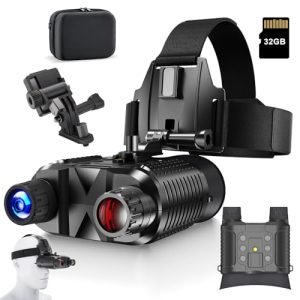
Digital night vision monoculars offer impressive low-light capabilities, but they aren’t without flaws. From grainy images to short battery life, users often face performance challenges that can affect usability. Understanding these problems helps you choose the right device and use it effectively in real-world conditions.
If you’ve ever tried using a digital night vision monocular on a moonless night or during a wildlife observation session, you know how magical it feels to see in the dark. These compact devices use advanced sensors and infrared technology to amplify available light, turning near-total darkness into a visible scene. Whether you’re a hunter, security professional, or outdoor enthusiast, digital monoculars offer a portable and powerful way to navigate low-light environments.
But here’s the catch—while they sound like futuristic gear straight out of a spy movie, digital night vision monoculars come with their fair share of problems. Unlike traditional image-intensifier tube devices, digital models rely on electronic sensors and software processing, which introduces a unique set of challenges. From image quality issues to power limitations, these drawbacks can affect performance when you need it most. The good news? Most of these problems are manageable—or even avoidable—with the right knowledge and preparation.
Key Takeaways
- Image noise and graininess: Many digital monoculars produce noisy, pixelated images in total darkness, reducing clarity and detail.
- Limited range in complete darkness: Without ambient light or IR illumination, visibility drops significantly, even with high-end models.
- Battery drain and power issues: Continuous use of IR illuminators and sensors can quickly deplete batteries, limiting field time.
- Overheating during extended use: Prolonged operation may cause internal components to heat up, affecting performance and longevity.
- Fragile build and moisture sensitivity: Some models lack ruggedness, making them vulnerable to drops, dust, or humidity.
- Latency and motion blur: Fast-moving objects may appear blurry due to slow sensor refresh rates in cheaper units.
- False color rendering: Digital sensors sometimes misrepresent colors, showing greenish or washed-out tones instead of natural contrasts.
📑 Table of Contents
Image Noise and Graininess in Low Light
One of the most common complaints about digital night vision monoculars is image noise. You might expect crisp, clear visuals, but instead, you get a grainy, pixelated display that makes it hard to identify objects or movement. This happens because digital sensors struggle to capture enough light in extremely dark conditions.
Why Does Noise Occur?
Digital monoculars use CMOS or CCD sensors similar to those in digital cameras. In low light, these sensors amplify the available light signal to produce an image. However, this amplification also boosts electronic noise—random variations in brightness and color—that appear as speckles or static across the screen. The darker the environment, the more pronounced this noise becomes.
For example, if you’re scanning a forest at midnight with no moonlight, the sensor has almost nothing to work with. The monocular compensates by cranking up the gain (sensitivity), which unfortunately magnifies noise along with the image. The result? A greenish or grayish screen filled with tiny dots, making it difficult to distinguish a deer from a tree branch.
How to Minimize Noise
To reduce noise, look for monoculars with larger sensors and better signal processing. High-end models often include noise-reduction algorithms that smooth out the image without sacrificing too much detail. Additionally, using the built-in IR illuminator can help by providing extra light for the sensor to detect, reducing the need for extreme gain settings.
Tip: Avoid zooming in too much when it’s very dark. Digital zoom often exaggerates noise, so stick to optical zoom or get closer to your subject when possible.
Limited Effective Range in Total Darkness
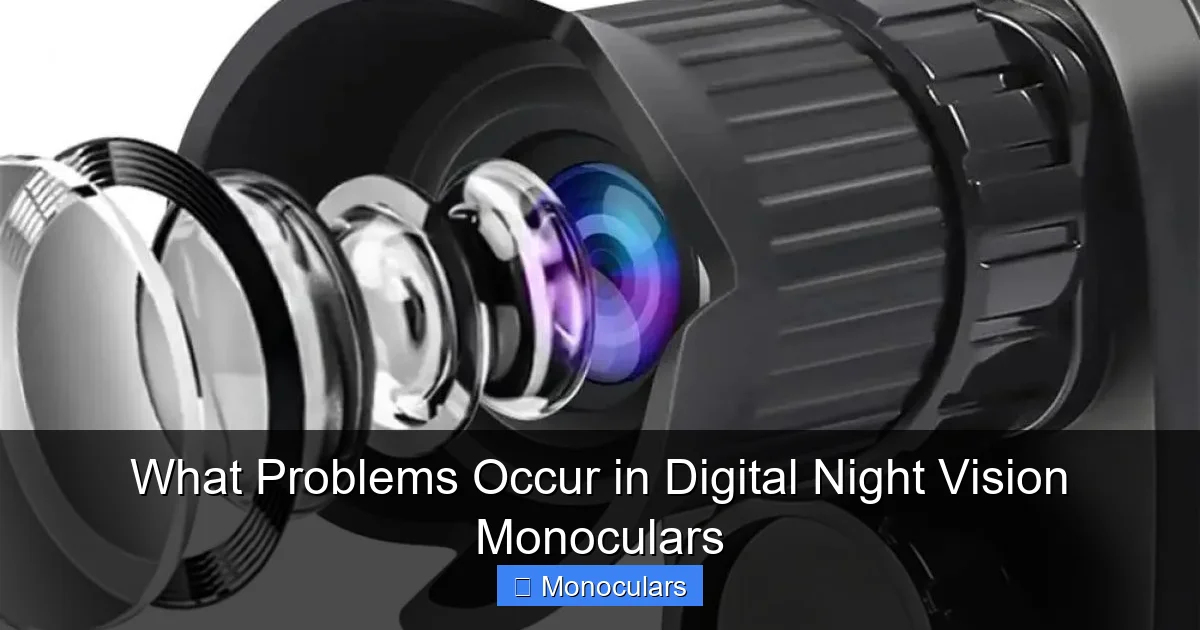
Visual guide about What Problems Occur in Digital Night Vision Monoculars
Image source: img.kentfaith.com
Another major limitation of digital night vision monoculars is their performance in complete darkness. Unlike traditional night vision that can work with starlight or moonlight, digital models often rely heavily on infrared (IR) illumination to “see” in pitch-black conditions.
The Role of IR Illuminators
Most digital monoculars come with an integrated IR LED illuminator—essentially an invisible flashlight that emits infrared light. This light bounces off objects and returns to the sensor, allowing the device to create an image. However, the range of these illuminators is typically limited to 100–200 yards, even on high-end models.
If you’re trying to spot a person or animal beyond that range in total darkness, the IR light simply won’t reach far enough. The result is a black screen or a very dim, unusable image. This becomes especially problematic in open fields, large properties, or during long-range surveillance.
Real-World Example
Imagine you’re camping in a remote area and hear rustling in the distance. You raise your monocular, but it’s a moonless night with no ambient light. Even with the IR on, you can only see about 150 feet ahead. Beyond that, everything fades into darkness. This limited range can be frustrating and even dangerous if you’re relying on the device for security or navigation.
Tips to Extend Range
To improve range, consider using an external IR illuminator that can be mounted separately and powered independently. These units often have longer ranges and stronger beams. Also, choose a monocular with adjustable IR brightness—this lets you fine-tune the illumination based on distance and ambient conditions.
Battery Life and Power Drain Issues
Power consumption is a silent killer of digital night vision performance. Many users are surprised by how quickly these devices drain batteries, especially when using features like IR illumination, video recording, or Wi-Fi connectivity.
High Energy Demand
Digital monoculars are essentially mini computers with sensors, processors, and displays—all of which consume power. The IR illuminator is particularly power-hungry. On some models, leaving the IR on can cut battery life in half. Add in features like live streaming or image capture, and you could be recharging or replacing batteries after just a few hours of use.
For instance, a monocular rated for 8 hours of continuous use might only last 3–4 hours if you’re actively using the IR and recording video. This is a big problem for overnight surveillance or extended wildlife observation.
Choosing the Right Power Source
To avoid getting stranded in the dark, opt for monoculars that support rechargeable batteries or external power banks. Some models use standard AA or CR123A batteries, which are easy to replace in the field. Others come with built-in lithium-ion batteries that can be recharged via USB—convenient, but risky if you forget to charge them before a trip.
Tip: Always carry spare batteries or a portable charger. Consider models with low-battery indicators and auto-shutoff features to preserve power.
Overheating During Extended Use
Have you ever noticed your digital monocular getting warm after an hour of use? That’s not just normal—it’s a sign of internal overheating, which can degrade performance and shorten the device’s lifespan.
Causes of Overheating
The sensor, processor, and display all generate heat during operation. In cheaper models, poor thermal management means this heat builds up quickly, especially in warm environments or during prolonged use. Overheating can cause the sensor to produce more noise, reduce image quality, or even trigger automatic shutdowns to prevent damage.
For example, using your monocular continuously for two hours in a hot car or under direct sunlight can cause internal temperatures to rise beyond safe limits. This is especially true for compact models with limited ventilation.
How to Prevent Overheating
To keep your device cool, avoid leaving it in direct sunlight or enclosed spaces like glove compartments. Take breaks during long observation sessions to let the unit cool down. If your monocular has a fan or heat-dissipating design, make sure vents aren’t blocked.
Also, consider using it in shorter bursts rather than continuous operation. This not only prevents overheating but also helps conserve battery life.
Build Quality and Environmental Vulnerabilities
Not all digital night vision monoculars are built to withstand the rigors of outdoor use. Many mid-range and budget models use lightweight plastics and lack proper sealing, making them vulnerable to drops, dust, and moisture.
Durability Concerns
A monocular that works perfectly in your living room might fail after a single drop on a rocky trail. Internal components like the sensor and circuit boards are sensitive to impact. Even a minor fall can misalign optics or damage connections.
Moisture is another enemy. Humidity, rain, or morning dew can seep into poorly sealed units, causing fogging inside the lens or corrosion on internal parts. This is especially problematic for hunters or hikers who use their devices in wet or humid environments.
What to Look For
Choose monoculars with an IP67 or higher rating, which means they’re dust-tight and can withstand immersion in water up to 1 meter for 30 minutes. Look for rubber armor coating, reinforced housings, and lens coatings that resist scratches and fogging.
Example: The Pulsar Axion Key XM30S is a popular model known for its rugged build and weather resistance, making it a favorite among outdoor professionals.
Latency and Motion Blur
If you’ve ever tried tracking a moving animal or person with a digital monocular, you may have noticed a slight delay or blurriness in the image. This is due to latency—the time it takes for the sensor to process and display the image.
Understanding Latency
Cheaper digital monoculars often have slower refresh rates, meaning the image updates less frequently. This creates a lag between real-world movement and what you see on the screen. Fast-moving objects may appear smeared or leave trails, making it hard to track them accurately.
For example, if a deer runs across your field of view, a high-latency monocular might show it slightly behind its actual position. This can be dangerous in security situations or when timing is critical.
How to Reduce Motion Blur
Look for models with high frame rates (30 fps or higher) and fast sensor response times. Premium monoculars often use advanced processors that minimize lag. Also, avoid using digital zoom while tracking moving targets, as it can exaggerate blur.
False Color and Poor Contrast
Finally, many digital night vision monoculars struggle with accurate color representation. Instead of natural grayscale or thermal imaging, they often display images in green, blue, or purple tones—sometimes with poor contrast between objects.
Why Colors Look Wrong
Digital sensors don’t “see” color the way human eyes do, especially in low light. They interpret light wavelengths differently, and software processing can introduce color shifts. Some manufacturers apply color filters to make images appear more vivid, but this can distort reality.
For instance, a dark tree might appear bright green, while a person in dark clothing blends into the background. This false coloring can mislead users and reduce situational awareness.
Choosing Better Image Modes
Many monoculars offer multiple display modes, including black-and-white, green, and color. For accuracy, stick to black-and-white or grayscale modes, which provide better contrast and are easier on the eyes during prolonged use.
Conclusion
Digital night vision monoculars are powerful tools, but they’re not perfect. From image noise and limited range to battery drain and overheating, these devices come with real-world challenges that can impact performance. However, by understanding these common problems, you can make smarter purchasing decisions and use your monocular more effectively.
Look for models with high-quality sensors, good thermal management, rugged builds, and efficient power systems. Always test your device in conditions similar to how you’ll use it in the field. And don’t forget the basics—carry spare batteries, protect your gear from the elements, and adjust settings to match your environment.
With the right knowledge and preparation, you can overcome the limitations of digital night vision and enjoy clearer, more reliable performance—no matter how dark it gets.
Frequently Asked Questions
Why is my digital night vision monocular so grainy?
The graininess is usually caused by image noise, which increases in low-light conditions when the sensor amplifies weak signals. Using the IR illuminator and choosing a model with better noise reduction can help improve clarity.
Can digital night vision work in total darkness?
Yes, but only with the help of an infrared (IR) illuminator. Without any light—natural or artificial—the sensor has nothing to detect, so the image will be completely black.
How long do batteries last in a digital monocular?
Battery life varies by model and usage, but most last between 3 to 8 hours. Using the IR illuminator, video recording, or Wi-Fi can significantly reduce runtime.
Are digital night vision monoculars waterproof?
Not all are. Check the IP rating—models with IP67 or higher are water-resistant and can handle rain or brief submersion. Always verify the specs before buying.
Why does my monocular overheat?
Overheating occurs due to prolonged use, high ambient temperatures, or poor ventilation. It can degrade image quality and damage internal components if not managed.
Can I use a digital monocular during the day?
Most digital monoculars can be used in daylight, but bright sunlight may cause glare or wash out the image. Some models have automatic brightness adjustment to handle varying light conditions.