Imagine being able to see the world in a whole new way, even in complete darkness. Thermal binoculars let you do just that by revealing heat signatures invisible to the naked eye.
But what if you could capture those incredible images and videos directly on your smartphone? Using thermal binoculars with smartphone adapters makes this possible—and it’s easier than you think. In this guide, you’ll discover step-by-step how to connect your devices, get the best shots, and unlock powerful features that bring your outdoor adventures or security tasks to life.
Ready to transform how you see and share the unseen? Keep reading—you don’t want to miss these insider tips.
Thermal Binoculars And Smartphone Adapters
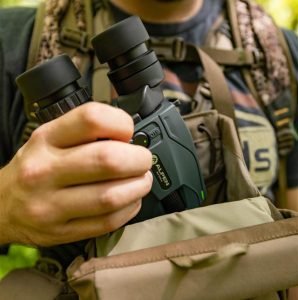
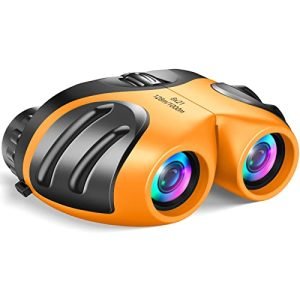
Thermal binocularshelp you see heat from animals or objects in the dark. They come in different types:
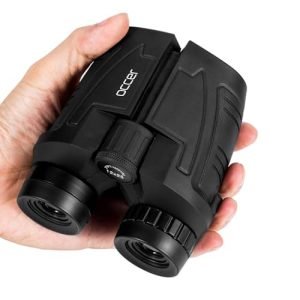
- Handheld models:Easy to carry and use for short periods.
- Mounted binoculars:Attach to tripods for steady viewing.
- Digital thermal binoculars:Show images on screens, often with recording features.
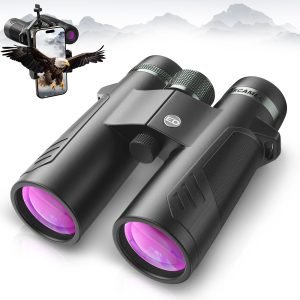
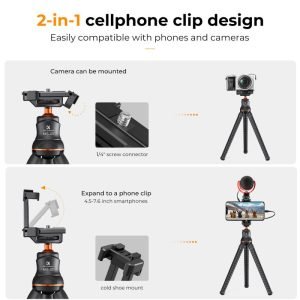
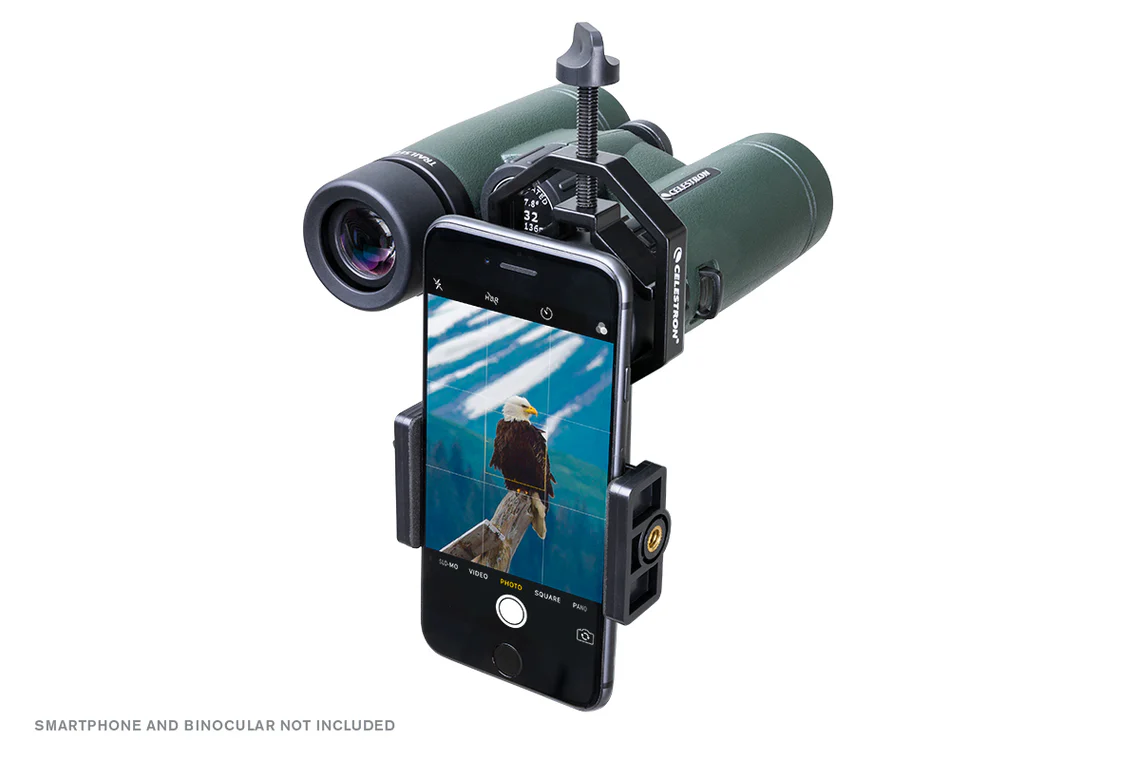
Many thermal binoculars work with smartphone adapters. These adapters hold your phone to the binocular lens. They let you take photos or videos of what you see.
| Adapter Type | Compatible Devices | Key Features |
|---|---|---|
| Universal Clip | Most smartphones | Easy to attach, adjustable grip |
| Custom Fit | Specific phone models | Secure hold, better alignment |
| Magnetic Mount | Phones with metal cases | Quick attach/detach, stable |
Credit: tog.ae
Setting Up Your Equipment
To install the adapter, first check that it fits your binoculars. Align the adapter carefully with the lens. Secure it firmly to avoid any movement during use. Use screws or clamps as needed, but do not overtighten.
Mount the smartphone by sliding it into the adapter holder. Make sure the phone’s camera lens lines up with the binocular lens. Adjust the position slowly until the view is clear. Tighten any clamps or locks to keep the phone in place.
| Configuring the Binoculars | Tips |
|---|---|
| Turn on the binoculars | Use fresh batteries or a full charge |
| Adjust focus | Use the focus wheel for a sharp image |
| Set image settings | Adjust brightness and contrast for clear pictures |
| Connect to smartphone app | Open the app and pair with the binoculars if needed |
Optimizing Image Quality
Adjust the focus on your thermal binoculars slowly for clear images. Use the zoom feature carefully to avoid blurring. Keep the binoculars steady to get sharp pictures. Fine-tuning focus helps reveal small details in the thermal image.
Enhance thermal imaging by reducing glare and reflections. Clean lenses before use for better clarity. Avoid direct bright lights as they can affect image quality. Use a lens cover when not in use to protect the optics.
- Use your smartphone’s camera settings for better results.
- Adjust brightness and contrast to see details clearly.
- Try different camera modes to capture the best thermal images.
- Use apps that support manual camera controls for more options.

Credit: www.instagram.com
Applications And Uses
Thermal binoculars with smartphone adapters help capture clear images in dark or foggy places. Outdoor explorers use them to see distant objects at night. They make camping and hiking safer by spotting animals or people far away.
Wildlife watchers enjoy observing animals without disturbing them. These binoculars show heat signatures, making hidden animals visible. It helps to study animal behavior quietly and safely.
Security teams use thermal binoculars for better surveillance. They can monitor large areas in low light or total darkness. This tool helps spot intruders or unusual activity quickly.
Troubleshooting Common Issues
Connection problemsoften happen due to loose adapters or incompatible devices. Make sure the adapter fits snugly on both the binocular and smartphone. Check if your phone’s camera lens aligns well with the binocular lens for a clear view. Restarting the phone and reconnecting the adapter can fix minor glitches. Clean the lenses and adapter contacts to avoid dirt disrupting the connection.
Image distortionmay occur if the lenses are misaligned or dirty. Adjust the focus ring on the binoculars carefully. Wipe lenses gently with a soft cloth to remove smudges. Bright light sources can cause glare; avoid pointing at strong lights. Use the smartphone’s zoom feature sparingly to keep image quality sharp.
Battery managementis key for long use. Check battery levels before heading out. Carry spare batteries or a power bank for backup. Turn off the binoculars and phone when not in use to save power. Keep batteries dry and at room temperature for best performance.

Credit: gtguardhunt.com
Maintenance And Care
Cleaning the binocularsis key to clear images. Use a soft cloth to wipe lenses gently. Avoid using harsh chemicals or rough materials. Dust and dirt can scratch lenses, so clean often but carefully. For stubborn dirt, use lens cleaning solution and a microfiber cloth.
Updating softwarekeeps your thermal binoculars working well with smartphones. Check the manufacturer’s app or website for updates. Updates fix bugs and add new features. Connect your binoculars to your phone or computer to update. Regular updates improve device performance and compatibility.
Storing equipment safelyprotects your binoculars and adapter. Store them in a dry, cool place away from direct sunlight. Use a padded case to avoid damage. Keep all parts together to prevent loss. Avoid leaving the binoculars in places with high humidity or extreme temperatures.
Frequently Asked Questions
How Do I Attach A Smartphone Adapter To Thermal Binoculars?
Attach the adapter by aligning it with the binoculars’ eyepiece. Secure it tightly to avoid movement. Ensure your smartphone camera lens aligns perfectly with the adapter’s lens for clear images.
Can I Use Any Smartphone With Thermal Binocular Adapters?
Most adapters fit popular smartphone models, but check compatibility first. Some adapters support adjustable clamps for different phone sizes. Verify the adapter specifications to ensure your smartphone fits properly.
What Are The Benefits Of Using Smartphone Adapters With Thermal Binoculars?
Adapters allow capturing thermal images and videos directly on your phone. This enhances sharing and analysis of thermal data. It also improves usability by combining phone features with thermal technology.
How To Improve Image Quality Using A Smartphone Adapter?
Ensure proper alignment between phone camera and binocular lens. Use steady support like a tripod to reduce shaking. Adjust phone camera settings for brightness and focus for clearer thermal images.
Conclusion
Thermal binoculars with smartphone adapters offer great convenience. You can capture clear images in dark or foggy conditions. Just attach the adapter, align your phone camera, and start shooting. Practice a bit to get steady shots and sharp focus. This setup helps you share your outdoor experiences easily.
Keep your gear clean and handle it carefully. Enjoy exploring nature with this simple, useful tool.