Have you ever wished you could capture the stunning views you see through your Porro prism binoculars directly on your smartphone? It’s easier than you think.
Using a smartphone adapter with your binoculars lets you take clear, close-up photos and videos of nature, sports, or distant landmarks—all with your phone’s camera. In this guide, you’ll discover simple, step-by-step tips to set up your Porro prism binoculars with a smartphone adapter.
By the end, you’ll be ready to snap amazing shots and share your adventures instantly. Ready to unlock the full potential of your binoculars and smartphone? Let’s dive in.
Porro Prism Binocular Basics
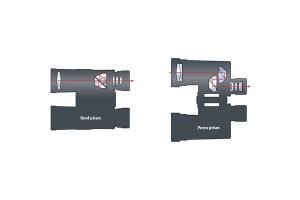
Porro prism binoculars use a simple prism design to bend light. This makes the image clear and bright. They often have a wider body than roof prism binoculars.
Key featuresinclude:
- Better depth perception
- Wider field of view
- Usually lighter and less costly
- Good image brightness
Advantages over roof prismbinoculars:
- More natural 3D image effect
- Better low light performance
- Easier to adjust focus
- Usually more affordable

Credit: www.amazon.ca
Choosing The Right Smartphone Adapter
Choosing the right smartphone adapter ensures a secure fit with your Porro prism binoculars. It helps capture clear, steady images through the lenses. Match the adapter size to your binoculars and phone for best results.
Compatibility Factors
Choosing an adapter requires checking phone size. Ensure it fits properly. Lens alignment matters too. The adapter should align with the binocular lens. Check if the adapter material is sturdy. It should hold the phone securely. Be sure the adapter works with different phone models. Flexibility is key.
Top Adapter Models
- Gosky Universal Adapter: Fits many phone sizes and models.
- Celestron NexYZ Adapter: Quick and easy phone attachment.
- Vankey Phone Adapter: Known for its durability.
- HookUpz Adapter: Lightweight and simple design.
Setting Up The Adapter
Begin by holding the Porro prism binocularssteady. Align the adapter so it fits snugly over the binocular’s eyepiece. Make sure it is centered to avoid blurry images. Tighten any screws or clamps on the adapter to secure it firmly. Check that the adapter does not move when you gently shake the binoculars.
Place your smartphone into the adapter’s holder. Adjust the holder to fit your phone’s size. The phone’s camera lens must line up with the binocular’s eyepiece lens. Use the adapter’s knobs or clips to hold the phone tightly.
- Ensure the phone does not slip out easily.
- Double-check that the camera lens stays aligned.
- Adjust the phone’s position for the clearest view.
Once everything is tight and aligned, you are ready to use your binoculars with the smartphone.
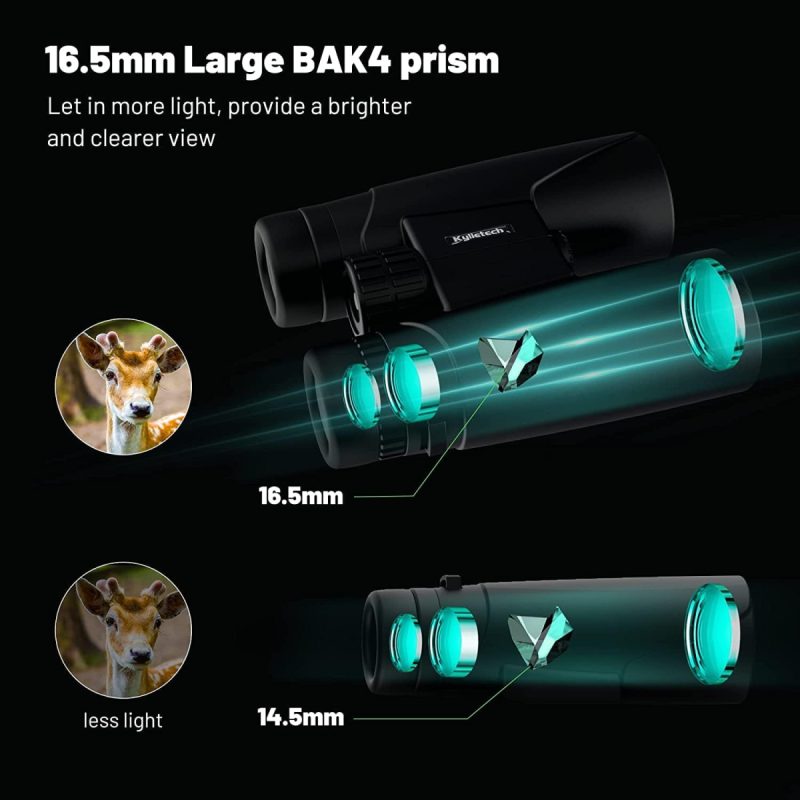
Credit: www.discountdelights.co.uk
Aligning Smartphone Camera With Binoculars
Place your smartphone camera lens directly over the binocular eyepiece. Use a smartphone adapter to hold the phone steady. The lens must be centered to avoid dark edges or blurriness. Adjust the adapter slowly until the camera captures the full view through the binoculars. Small movements can improve alignment significantly.
Turn the focus ring on the binoculars to sharpen the image. Then, use your phone’s camera focus if needed. Tap on the screen where the image looks blurry. Keep adjusting the binocular focus and camera focus for the clearest picture. Good focus means clear details and no fuzzy edges.
Capturing Stable And Sharp Images
Using a tripodor a stable mounthelps keep binoculars and smartphones steady. This reduces blur caused by hand movement. Attach the smartphone adapter to the binoculars first. Then, fix the binoculars on the tripod or mount securely.
Make sure the tripod is on a flat surface. Adjust the height and angle carefully to get the best view. Tighten all screws to avoid any slip or shake during shooting.
- Use a remote shutter or timer to avoid touching the phone.
- Hold the setup steady while taking pictures or videos.
- Check focus often to keep images sharp.
Minimizing shake and vibration is key for clear photos. Avoid windy areas or shaky grounds. A solid base makes a big difference.
Optimizing Camera Settings
Adjust the exposureto control light entering the camera. Lower exposure in bright light to avoid glare. Increase exposure in low light to brighten images.
Set the ISOto control the camera’s sensitivity to light. Use a low ISO for clear pictures in daylight. Raise ISO in darker settings but expect more grain.
- Use the binocular’s zoomto get closer without moving.
- Focus carefully to keep the subject sharp and clear.
- Small adjustments can improve image quality a lot.
Troubleshooting Common Issues
Vignettinghappens when the edges of photos look dark or blurry. This occurs because the smartphone cameralens and binocular eyepiece are not fully aligned. Adjust the adapterslowly to center the phone’s lens with the binocular eyepiece. Make sure the adapter is tight and stable to avoid movement.
Using the correct adapter sizehelps reduce vignetting. Some adapters come with adjustable parts to fit different binoculars and phones.
- Check if the phone camera lens is clean and free of dirt.
- Try using the phone’s digital zoom to fill the frame better.
- Use a phone camera app that allows manual focus and exposure control.
Blurry photos often happen due to shaky handsor wrong focus. Keep your hands steady or use a small tripod. Tap on the phone screen to focuson the binocular image. Adjust the binoculars’ focus ring for a sharper view.
Creative Uses For Binocular Smartphone Photography
Porro prism binoculars paired with smartphone adapters create great tools for wildlife and bird watching. Attach the smartphone securely to the binocular eyepiece. This setup lets you capture distant animals clearly. Use the binocular’s zoom to focus on small details like feathers or eyes. Steady your hands or use a tripod to avoid blurry shots.
For astrophotography, align the binoculars with the phone camera carefully. This helps capture stars, planets, and the moonwith better clarity. Use long exposure settings on your phone to get bright, detailed images of the night sky. Keep the binoculars steady to avoid shaking and blurry photos.
- Adjust phone camera settings for best results.
- Use manual focus on binoculars for sharp images.
- Try different zoom levels for varied shots.
- Keep smartphone adapter tight and secure.
- Use apps that support long exposure and manual control.
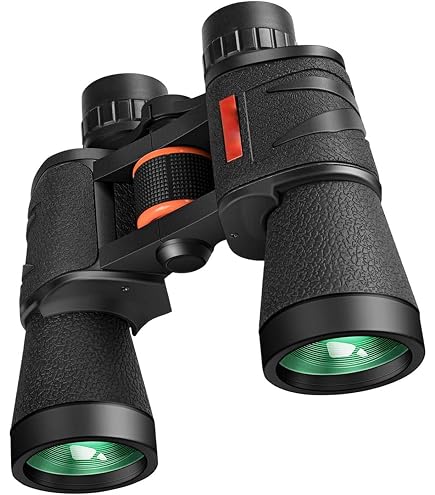
Credit: www.amazon.in
Frequently Asked Questions
How Do I Attach A Smartphone Adapter To Porro Prism Binoculars?
To attach, align the adapter’s clamp with your binocular’s eyepiece. Secure it firmly but gently. Ensure the phone camera lens aligns with the eyepiece for clear images.
Can All Smartphones Fit Porro Prism Binocular Adapters?
Most adapters are adjustable to fit various smartphone sizes. Check adapter specifications for compatibility with your phone model before purchasing.
What Settings Improve Smartphone Photos Through Porro Prism Binoculars?
Use manual focus on your phone camera. Adjust exposure and brightness for clarity. Avoid digital zoom to maintain image quality.
Are Porro Prism Binoculars Better For Smartphone Photography?
Porro prisms offer wider depth and better light transmission. This enhances image clarity when paired with smartphone adapters.
Conclusion
Using Porro prism binoculars with smartphone adapters is simple and fun. Just attach the adapter securely to your binoculars and phone. Align your phone’s camera with the binocular lens carefully. Take steady shots by holding both devices firmly. This setup helps you capture clear, close-up images of distant objects.
Practice a few times to get better results. Enjoy sharing your photos with friends and family. This method brings the world closer to your phone’s screen. Keep exploring and capturing moments easily with this handy tool.